TRADINGVIEW AUTOMATION
The Ultimate TradingView Trade Copier
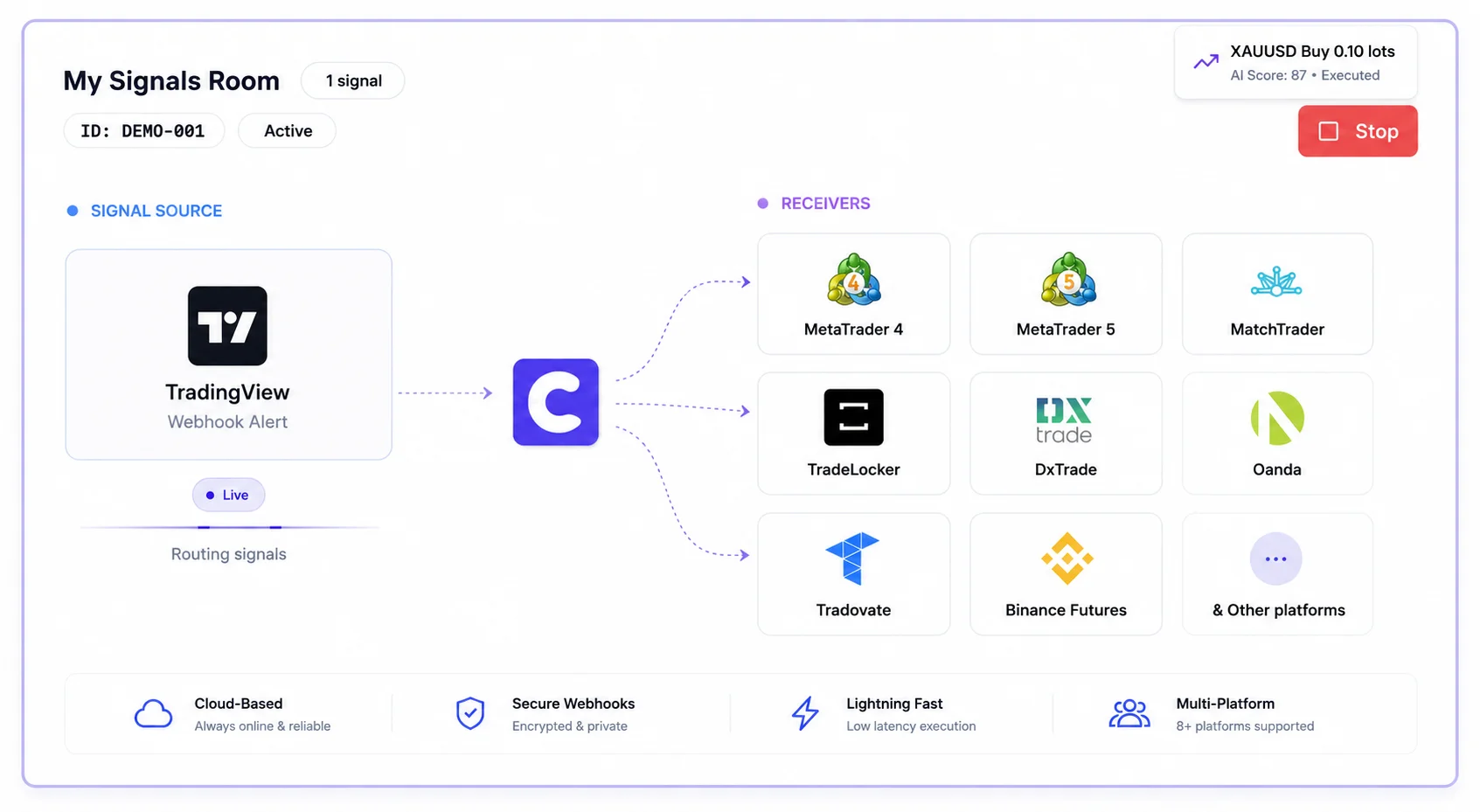
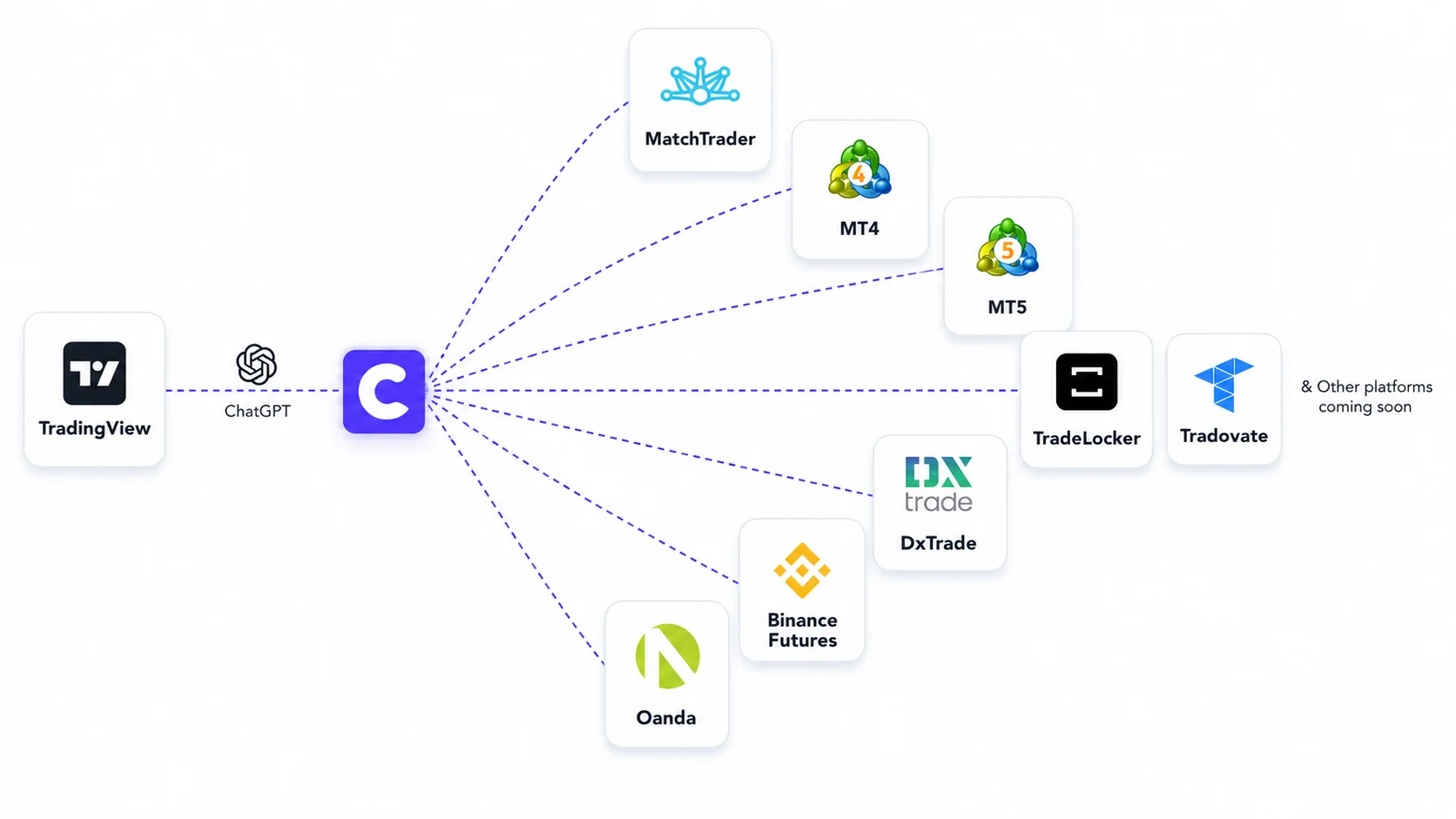
Turn TradingView alerts into live trades across 8 different platforms instantly. Connect MT4, MT5, Tradovate, TradeLocker, and Binance Futures to our cloud-based webhook automation. No VPS, no coding, and execution in under 20ms.
30,000+ Active Traders
Prop Firm Friendly
<20ms Execution Speed
100% Cloud-Based
WHAT IS IT
What Is A TradingView Trade Copier?
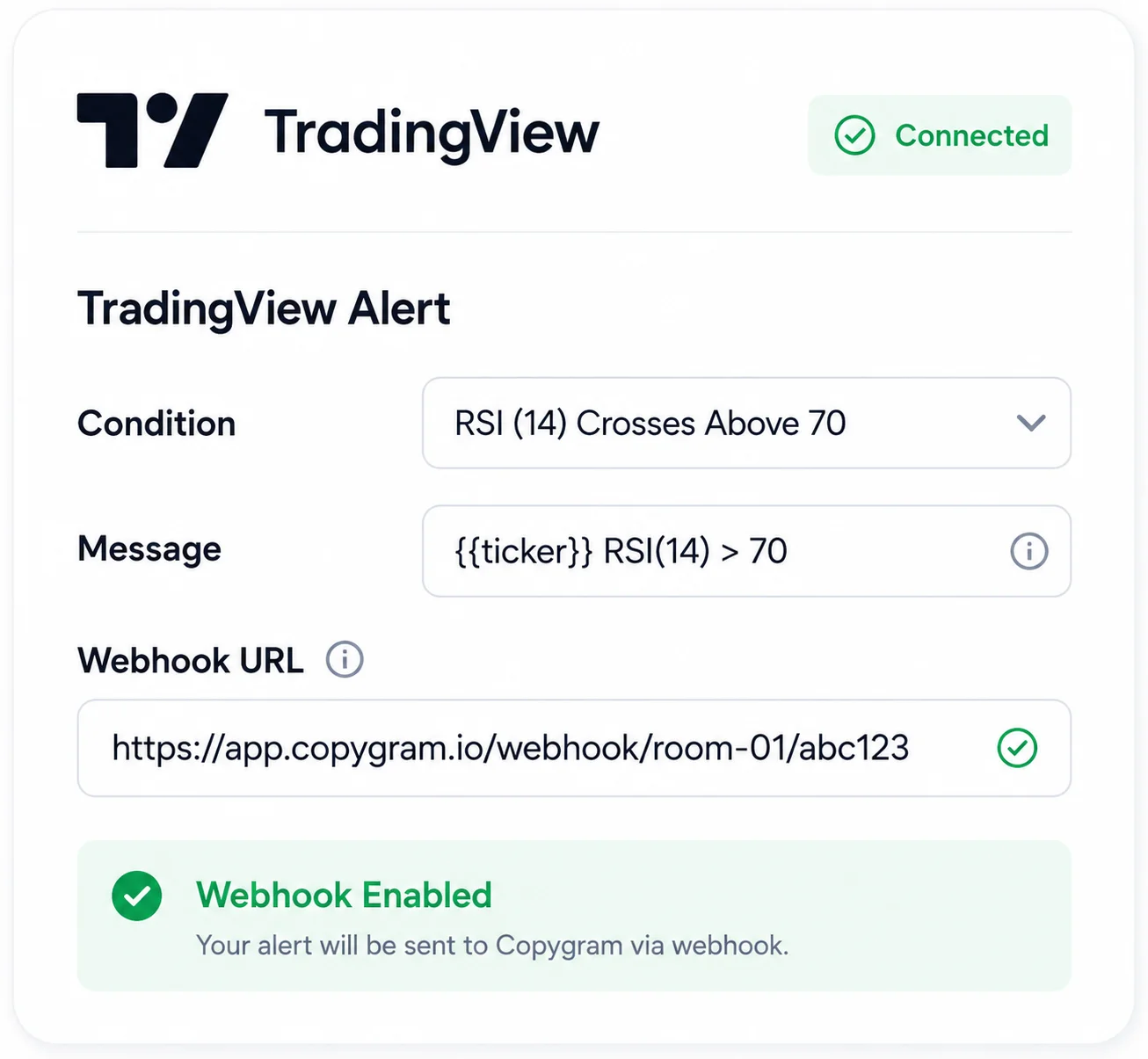
A TradingView trade copier is a bridge that connects your TradingView charts to your broker accounts. Instead of staring at charts all day waiting for your strategy to trigger, a trade copier listens for TradingView webhook alerts and automatically executes the trades in your connected accounts.
HOW IT WORKS
How Our TradingView Automation Works
Set up your automated trading strategy in under 5 minutes. No coding required.



Features
Powerful Features of Our TradingView Trade Copier
Discover how our TradingView webhook automation enhances your trading experience.
Customizable Risk Management
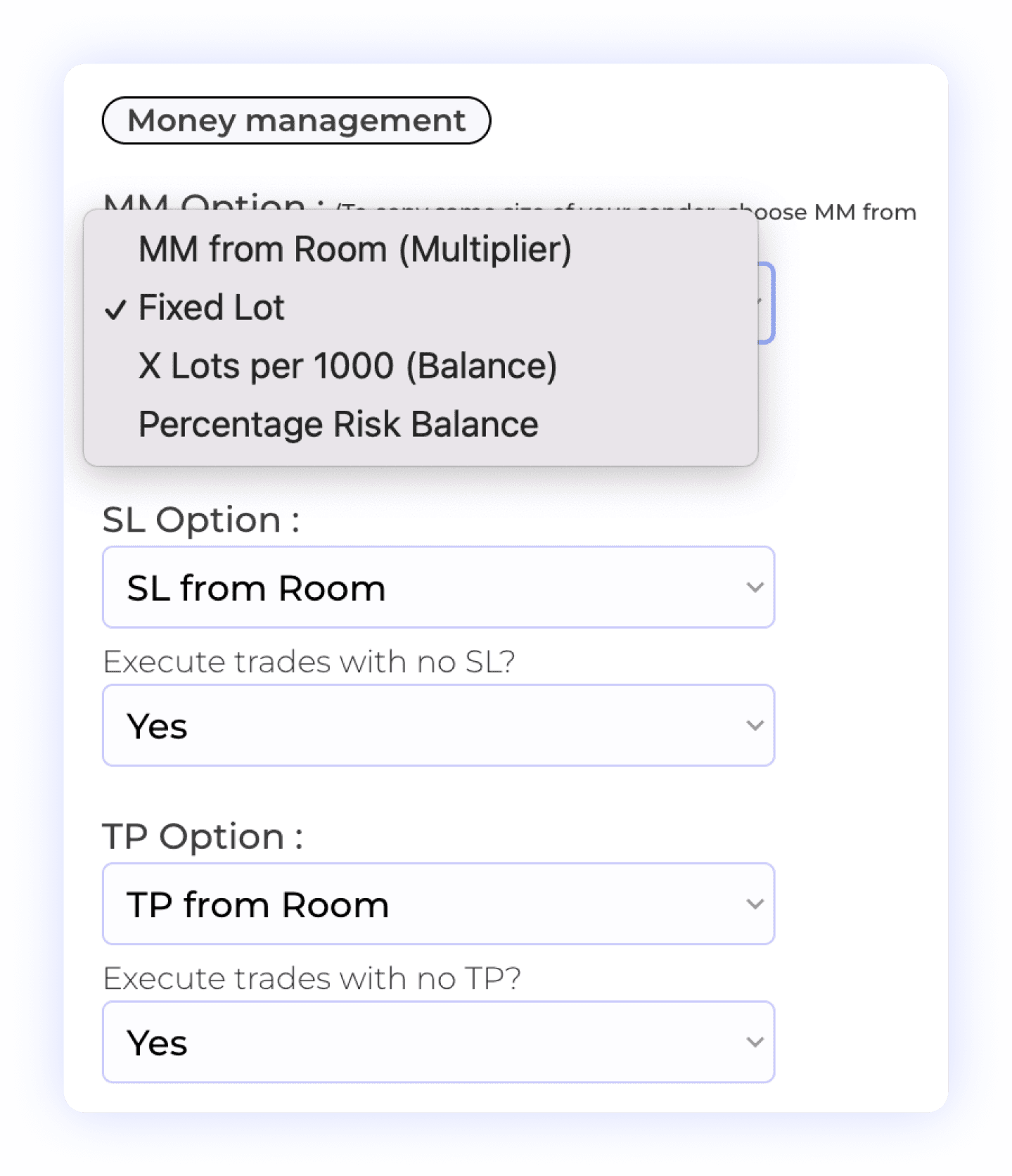
With our integration, users have complete control over their money and risk management settings. You can choose from various options, including fixed lot size, multiplier, X lot per 1,000 units, or contract quantities for each account receiving the TradingView alert. Additionally, you have the ability to decide whether to copy Stop Loss (SL) settings and take profits, allowing for flexible trade management. This level of customization ensures that your trading strategy aligns perfectly with your risk tolerance and objectives.
Account Balance Risk
Take Profit Settings
Lot Multiplier
Percentage Risk
Stop Loss Management
Smart Prefixes & Suffixes Management
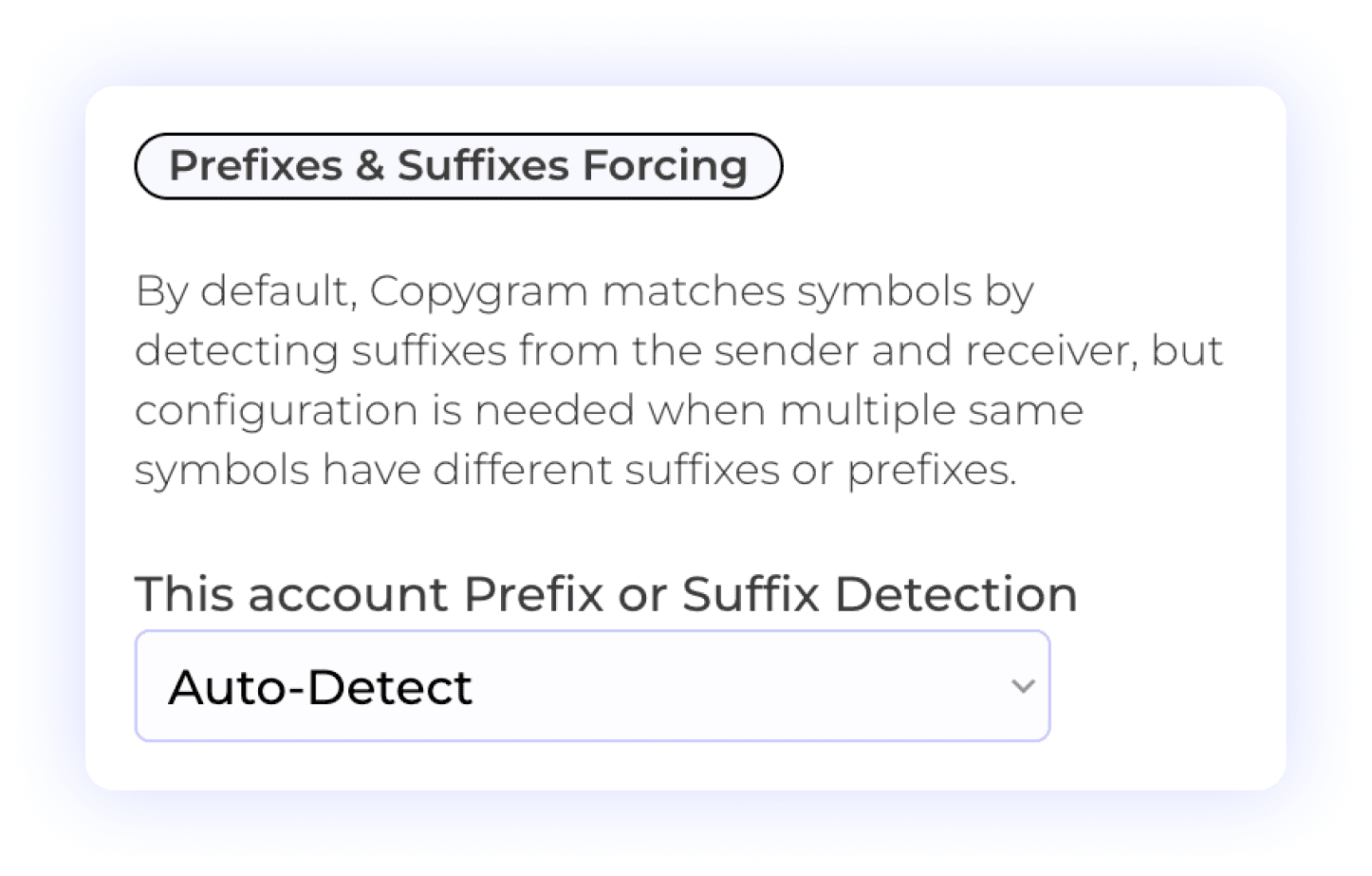
Copygram simplifies trading by automatically detecting prefixes and suffixes on receiver accounts. This feature ensures that trades are accurately matched, reducing the risk of errors. Additionally, users can manually input prefixes or suffixes when needed, which is particularly useful in cases where a broker lists the same symbol multiple times with different suffixes or prefixes. This flexibility guarantees seamless trade execution and enhances your overall trading experience.
Prefix Management
Suffix Management
Automated Detection
Smart Symbol Mapping
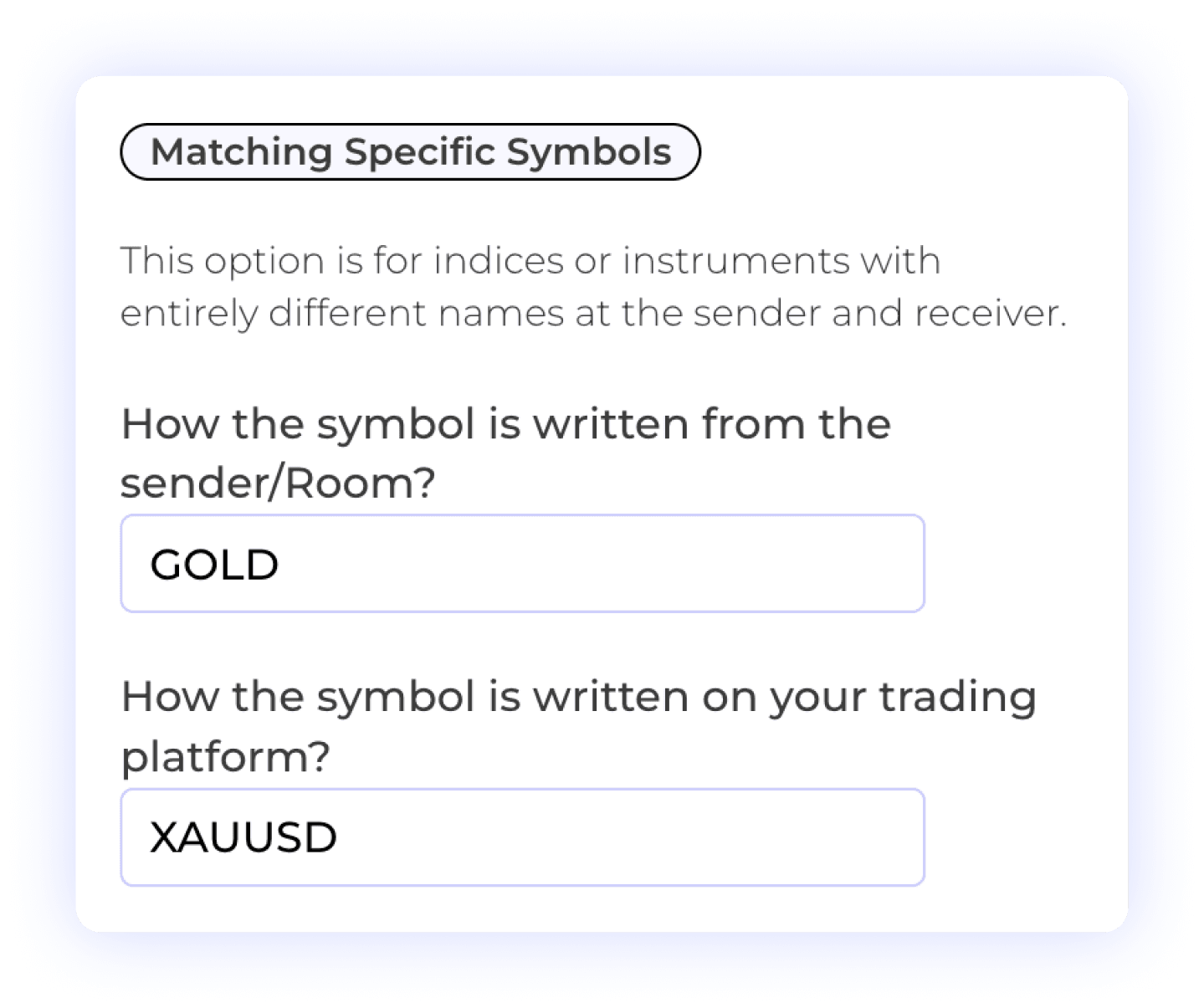
Automatically translate TradingView ticker symbols (like "ES1!") to your broker's specific format (like "ESM4").
Custom Symbol Matching
Different Symbol Formats
User Control
Customizable Order Management
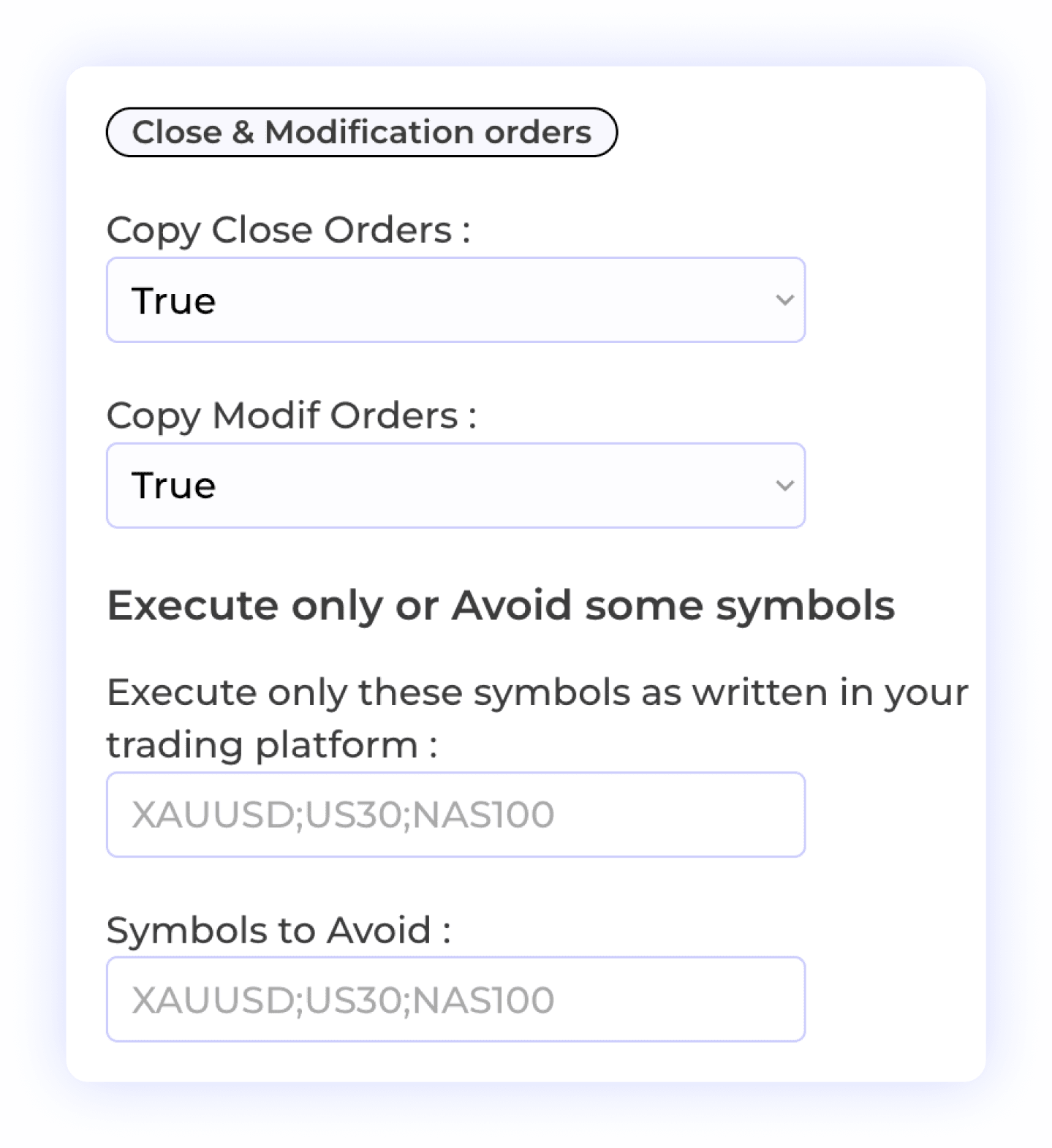
This feature empowers users to control how orders are handled on the receiver account. You can allow modifications or closures of orders to be copied, ensuring flexibility in your trading strategy. Additionally, you have the option to selectively copy specific symbols or exclude certain symbols from being copied. This level of customization enhances your trading experience, allowing you to manage your positions with precision and confidence.
Order Modification
Selective Symbol Copying
Order Closure
Trade Flexibility
Symbol-Specific Lot Exceptions
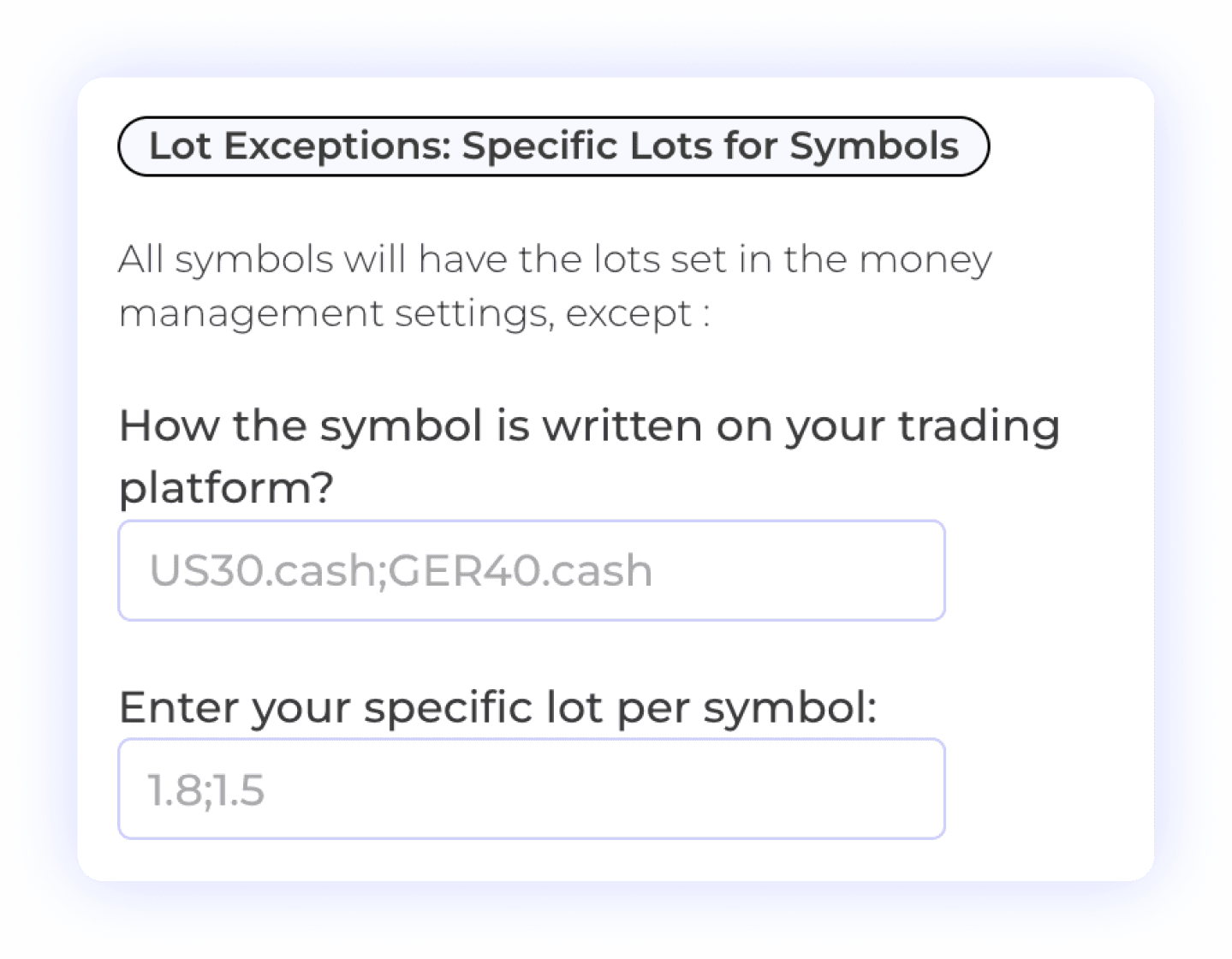
The Lot Exception feature allows users to set specific lot sizes for individual symbols, providing greater control over their trading strategy. This flexibility enables you to define exceptions based on the characteristics of each symbol, ensuring that your position sizing aligns with your risk management preferences. Customize your trading approach with tailored lot sizes for enhanced precision and effectiveness.
Lot Size Management
Symbol-Specific Settings
Risk Management

Multi-Take Profit Management
The Multiple TPs feature allows users to specify distinct Take Profit levels and corresponding percentage lot sizes for each TP. This option is available for trades coming from TradingView alerts when multiple targets are defined.
Multiple Take Profits
Lot Size Management
Percent Allocation per TP
User-Controlled Trading
Customizable Trade Comment Settings
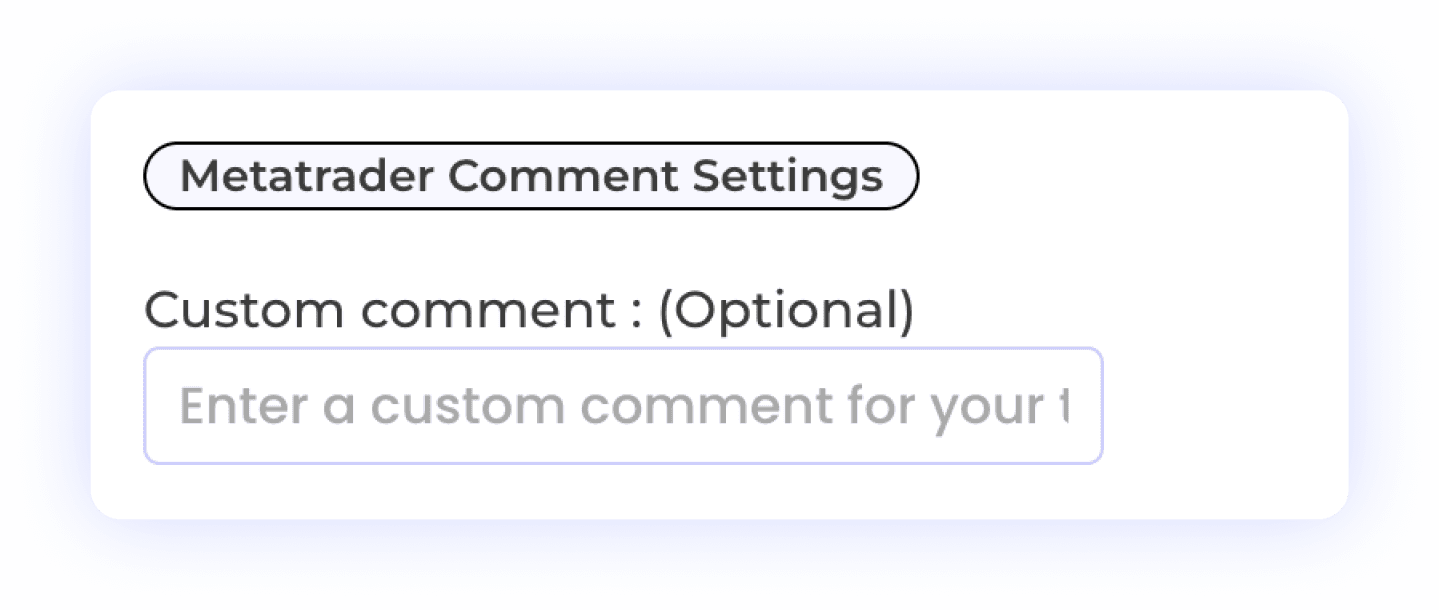
The MetaTrader Comment Settings feature is essential for users trading with prop firms. This functionality allows you to add custom comments to your trades, helping you manage how your trades are perceived and avoiding detection by prop firms. By personalizing trade comments, you can maintain compliance with firm policies while executing your strategies effectively.
Custom Trade Comments
Prop Firm Compliance
MetaTrader Integration

Flexible Time Settings
The Time Settings feature allows users to customize when orders or signals from the sender are executed on the receiver account. You can choose to have trades executed at all times or specify particular time windows for execution. This flexibility helps you align your trading activities with your strategy, ensuring that trades are executed only when it fits your schedule or market conditions.
Time Management
Trade Execution Timing
Automated Trading Control
Multi-Account Execution
Route a single TradingView alert to unlimited follower accounts simultaneously. Perfect for managing multiple prop firm challenges.
Instant Execution
Multi Receiver Accounts
Plus 10+ additional settings including AI trade validation, keyword filters, trading schedules, signal vs market price execution, and more. See all features →
WHY CHOOSE US
Why Copygram Beats Every Other TradingView Copier
Most TradingView copiers force you into a corner. Here's why 30,000+ traders choose Copygram instead.
01
02
03
04
Looking for a PineConnector alternative? See the full comparison →
SUPPORTED PLATFORMS
Automate TradingView to Any Platform
Say goodbye to multiple tools and hello to efficiency, personalization, and smarter trade copier with our innovative platform.
TradingView to NinjaTrader
Route indicator and strategy alerts to NinjaTrader futures accounts with independent contract mapping, whole-contract quantities and receiver settings.
TradingView to NinjaTrader



Route TradingView alerts directly to your DxTrade prop firm account. Ideal for FTMO, The5ers, and other DxTrade-based funded programs with <20ms execution.
Automate your crypto futures strategies from TradingView to Binance. Execute leveraged positions on any pair the moment your alert fires — no bots or scripts required.

Connect TradingView strategies to TradeLocker-powered brokers and prop firms. Our AI handles any alert format so you can focus on your edge, not webhook syntax.

Send TradingView forex alerts to your OANDA account in under 20ms. Perfect for swing traders and scalpers who want hands-free execution on major and exotic pairs.

Automate TradingView signals to MatchTrader-based prop firms and brokers. One webhook, instant execution, no rigid JSON formatting needed.

Bridge TradingView indicators to MT4 or MT5 without a VPS. Copygram's cloud infrastructure keeps your strategies running 24/7 with zero downtime.

Route TradingView alerts directly to Tradovate for futures prop firm accounts. OAuth connection, no API keys, and sub-20ms execution.
Tradingview to Tradovate



FAQ
Frequently Asked Questions About TradingView Automation
We’ve gathered all the important info right here. Explore our FAQs and find the answers you need.
Do I need a paid TradingView account to use Copygram?
Yes. TradingView requires at least the "Essential" (formerly Pro) plan to send webhook alerts. The free basic plan does not support webhooks, which are required for any trade copier to receive signals from TradingView.
Can I send one TradingView alert to multiple accounts?
Absolutely. You can route a single TradingView webhook alert to unlimited broker accounts simultaneously. You can even mix platforms — sending one alert to an MT5 account and a Tradovate account at the exact same time.
Does Copygram support TradingView strategies or just indicators?
Both. Copygram can automate simple line-crossing alerts, complex custom indicators, and full Pine Script strategies. As long as TradingView can generate an alert, Copygram can execute the trade.
How fast are TradingView alerts executed?
Copygram processes incoming TradingView webhooks and routes them to your broker via API in under 20 milliseconds. This ensures minimal slippage and precise entry prices for your automated strategies.
Can I use this with prop firms like FTMO or Apex?
Yes. Copygram is highly optimized for prop firm traders. Our API-based execution provides superior stealth, and we fully support platforms used by major prop firms including Tradovate, TradeLocker, DxTrade, and MetaTrader.
Do I need to know how to code in Pine Script?
No coding is required. While advanced users can use Pine Script to create complex alerts, beginners can simply right-click any chart or indicator in TradingView, select "Add Alert," and paste the Copygram webhook URL.