TRADELOCKER · SENDER + RECEIVER
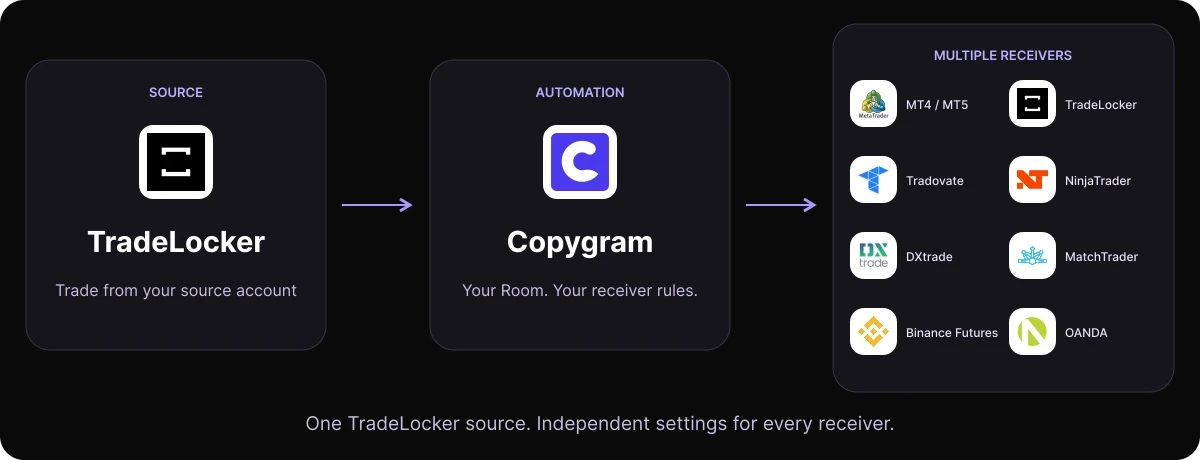
Trade on TradeLocker. Copy your trades to MT4, MT5, Tradovate, NinjaTrader and more from one Copygram Room. Set the symbols, position sizes and rules for each receiver.

TRADELOCKER COPY TRADING
Your TradeLocker account. Connected to your other platforms.
TradeLocker sender support is live. Use a TradeLocker account as your source, copy to one or more receivers, and manage the workflow in one Copygram Room. TradeLocker also works as a receiver for other supported sources.
QUICK START
Copy TradeLocker trades in four steps
Connect your accounts, create a Room, set each receiver’s rules and activate your workflow.
In Copygram, open Trading Accounts and connect the TradeLocker account you trade from. Select the correct server and account, then connect your destination accounts using their current in-app instructions.

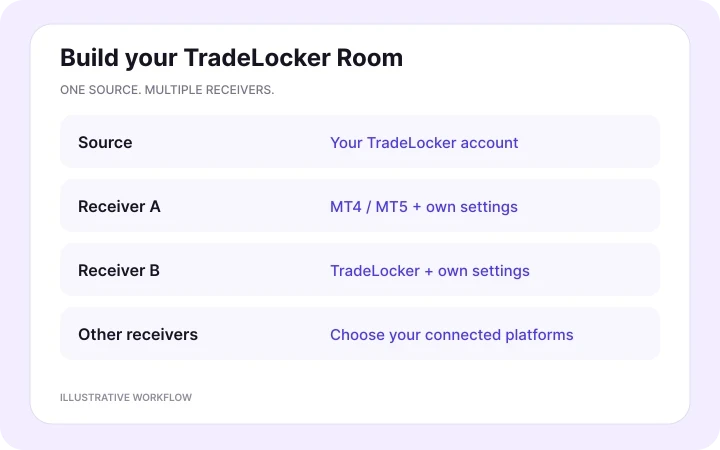
02 — Make TradeLocker the Room’s source
Create a Room, choose the connected TradeLocker account as its source and add one or more receivers. A Room has one source; use separate Rooms when you want different source accounts.
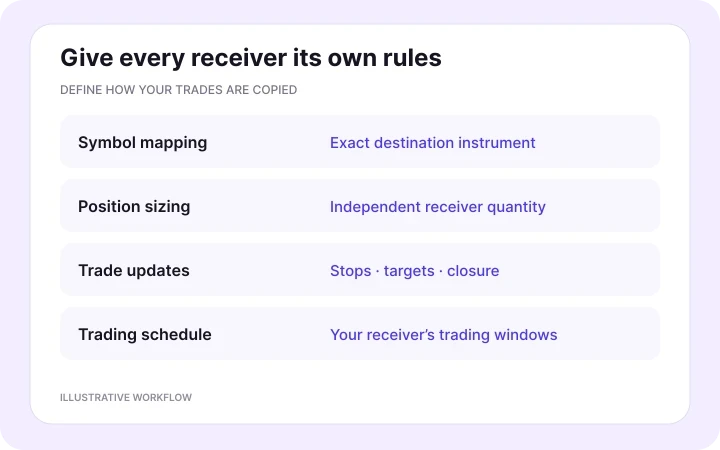
03 — Set each receiver’s rules
Choose the destination symbol, position-sizing mode, trading schedule and supported order-update settings for each receiver. Review minimum quantities, contract specifications and any account restrictions.

04 — Activate and monitor your Room
Activate the Room to start copying. Follow the original TradeLocker trade through Copygram’s activity logs to the receiver’s orders and positions. Review quantities, stops, targets and trade updates for each account.
RECEIVER CONTROLS
One source. Your rules for every account.
Choose the destination instrument and position size separately for every receiver.
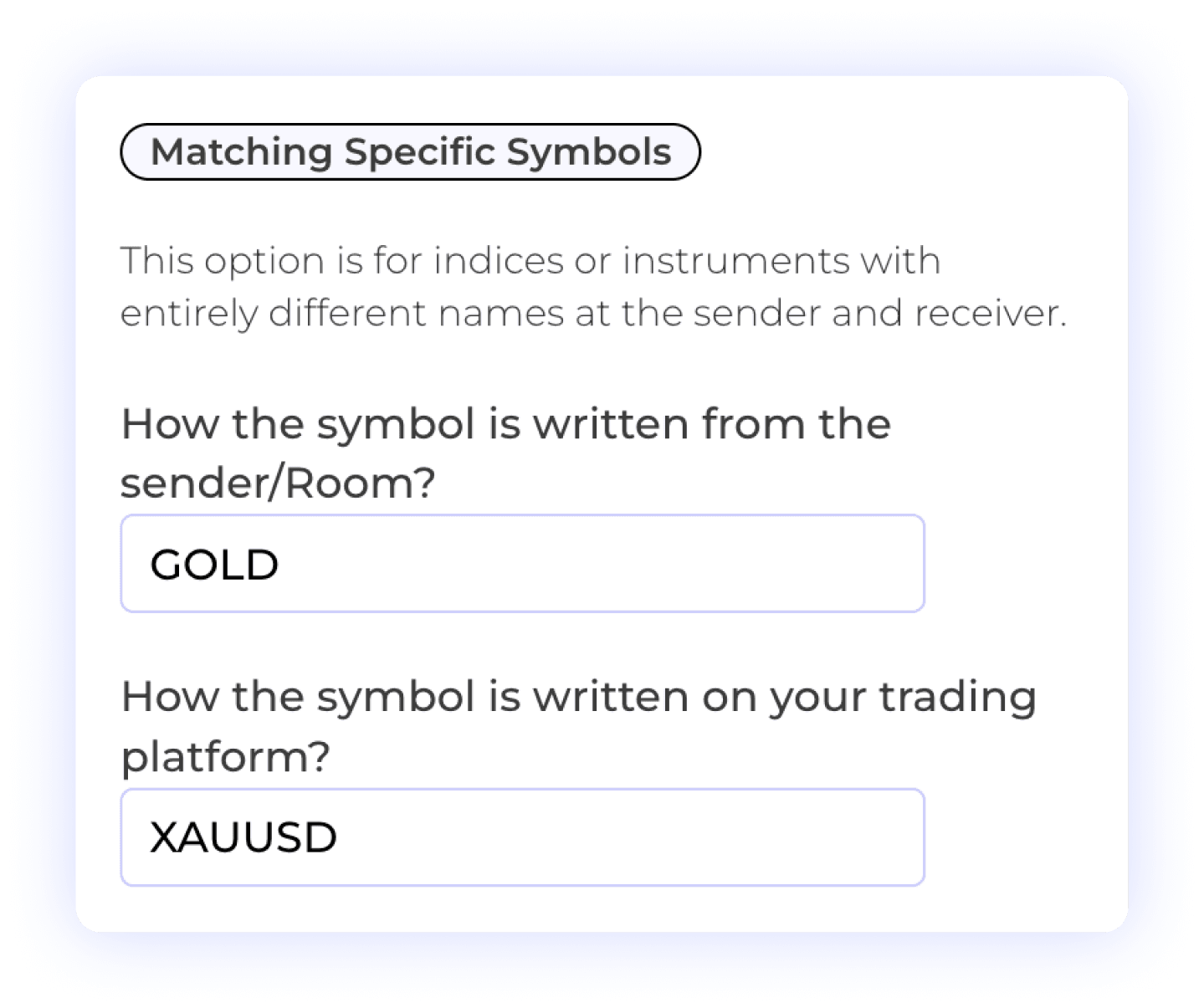
Map the exact destination instrument
A source trade and its copy can have different contract sizes, minimum quantities and trading hours. Matching a symbol name does not make the exposure identical.
Use the exact destination instrument. For example, a TradeLocker gold CFD and a gold futures contract can have different tick values and quantities. Review the instrument specifications and select receiver sizing deliberately before testing the route.
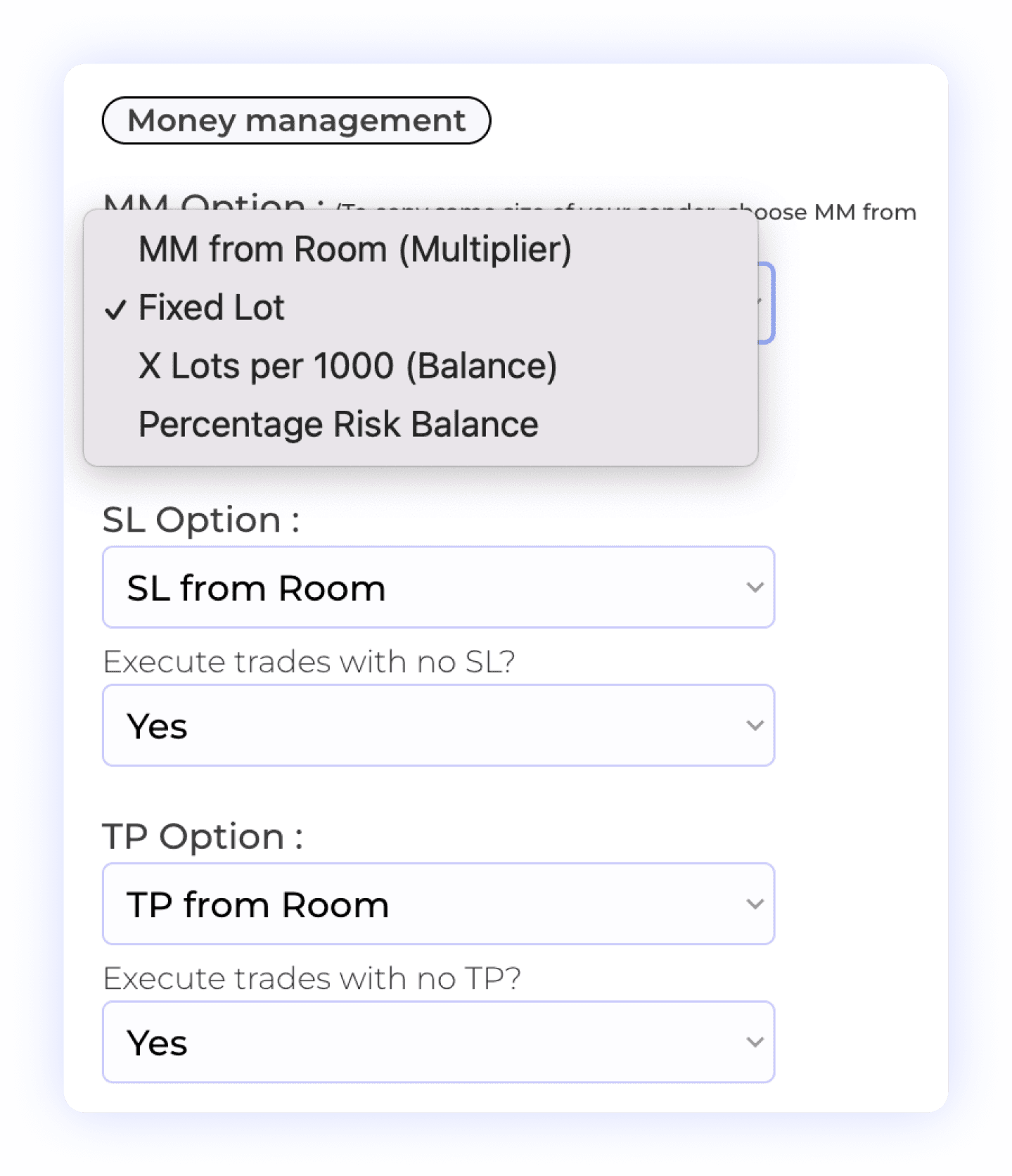
Set the position size for each receiver
Size each receiver independently with Fixed Lot, Multiplier, X Lots per 1000 Balance, Percentage Risk Balance or Fixed Risk Amount per Trade. Risk-based modes need a usable stop-loss distance. Review symbol-specific overrides when one rule does not fit every instrument.
TRADELOCKER AS A SENDER
Explore all TradeLocker integrations
Copy from TradeLocker to eight destinations: MT4 / MT5, TradeLocker, Tradovate, NinjaTrader, DXtrade, MatchTrader, Binance Futures and OANDA. Open a route below for its setup guide.


TradeLocker to MT4 / MT5
Keep trading on TradeLocker while MT4 or MT5 receives your trades. Map broker symbols and set each receiver’s lot size.
View MT4 / MT5 setup
TradeLocker to TradeLocker
Copy your source TradeLocker account to other TradeLocker accounts. Give each receiver its own position sizing and rules.
View account-copying setup

TradeLocker to Tradovate
Copy TradeLocker trades to Tradovate. Match the destination futures contract, expiry and whole-contract quantity.
View Tradovate setup

TradeLocker to NinjaTrader
Send TradeLocker trades to NinjaTrader accounts. Select the receiving futures contract and configure its order quantity.
View NinjaTrader setup
TradeLocker to DXtrade
Connect TradeLocker to DXtrade with broker-specific symbol mapping, independent position sizing and receiver controls.
View DXtrade setup

TradeLocker to MatchTrader
Copy trades to MatchTrader accounts. Map the destination broker’s symbols and choose each receiver’s position size.
View MatchTrader setup

TradeLocker to Binance Futures
Route TradeLocker trades to Binance Futures. Match the futures market and configure receiver quantity and margin settings.
View Binance Futures setup

TradeLocker to OANDA
Use TradeLocker as your source and OANDA as your receiver, with exact instrument mapping and independent sizing.
View OANDA setup
Explore more automations
More Automation
TRADELOCKER AS A RECEIVER
Integrations that copy into TradeLocker
Use the source you already trade with. Connect it to a TradeLocker receiver and follow the matching setup guide.
TradingView to TradeLocker
Turn TradingView webhook alerts into instructions for your TradeLocker receiver. Review the alert message, broker symbol, order size and exit instructions.
Read the setup guide →

Telegram to TradeLocker
Use a Telegram channel you can access as the Room’s source. Review the parsed signal and configure the TradeLocker receiver’s sizing and trade-management settings.
Read the setup guide →

MT4 or MT5 to TradeLocker
Copy from a connected MetaTrader source account to TradeLocker. Match the destination instrument and quantity instead of assuming both brokers use identical symbols or contract sizes.
Read the setup guide →
Tradovate to TradeLocker
Route trades from a supported Tradovate source to TradeLocker. Futures contracts and destination instruments may have different specifications, sessions and exposure.
Read the setup guide →
NinjaTrader to TradeLocker
Use a supported NinjaTrader source with a TradeLocker receiver. Review the instrument mapping, quantity conversion and account permissions for the route.
Read the setup guide →
PRICING PLANS
Choose a plan for your TradeLocker workflow
Compare monthly and discounted annual plans. Choose the connected-account allowance and source features your workflow needs.


FREQUENTLY ASKED QUESTIONS
TradeLocker trade copier FAQ
Answers about copying TradeLocker trades, supported platforms and receiver settings.
Can TradeLocker be a sender in Copygram?
Yes. TradeLocker sender support is live in Copygram. Connect your TradeLocker account and choose it as the source in a Room, then add the accounts that should receive its trades. TradeLocker also remains available as a receiver.
Can I copy from one TradeLocker account to another?
Yes. Set one connected TradeLocker account as the source and add your other TradeLocker accounts as receivers. Configure each receiver separately. The number of connected accounts depends on your Copygram plan, and your broker or prop firm must allow the workflow.
Can I copy TradeLocker trades to MT4 or MT5?
Yes. Copygram supports TradeLocker as the source and MT4 or MT5 as receivers. Connect each account, map the destination symbols and choose receiver sizing. The receiving account needs trading permission; an investor password alone cannot execute orders.
Which other platforms can receive TradeLocker trades?
Copygram supports TradeLocker routes to Tradovate, NinjaTrader, DXtrade, MatchTrader, Binance Futures and OANDA, alongside MT4, MT5 and other TradeLocker accounts. Availability still depends on the account connection and the instruments offered by each destination.
Can TradeLocker still receive Telegram or TradingView signals?
Yes. TradeLocker can receive Telegram signals, TradingView webhook alerts and trades from supported MetaTrader, Tradovate, NinjaTrader or TradeLocker source accounts. Choose one source for each Room and configure the TradeLocker receiver.
Does TradeLocker include a built-in trade copier?
TradeLocker’s help center describes copy trading as a third-party integration. Copygram provides the connection and copying workflow; the broker or prop firm controls account permissions. Check the current rules for your own accounts before connecting them.
Do I need a VPS or a local terminal?
Copygram runs its supported connections in the cloud. You do not need to host your own VPS for the TradeLocker connection. Follow the current instructions for every destination; some platform workflows may require an additional component. Accounts must remain connected and the Room must be running.
Will copied trades have identical prices and risk?
No. Prices, spreads, fees, trading hours and contract specifications can differ between accounts. Set symbol mappings and sizing for each receiver, then verify actual order records. Copying does not guarantee matching fills, equal exposure or compliance with a prop firm’s loss limits.
Is there a free TradeLocker trade copier plan or trial?
Copygram does not offer a free trial. Choose a paid plan with enough connected accounts and the source features you need. Compare the current monthly and discounted annual options in the pricing tables.