Automation
Copy Telegram Signals to MT4 & MT5 Automatically
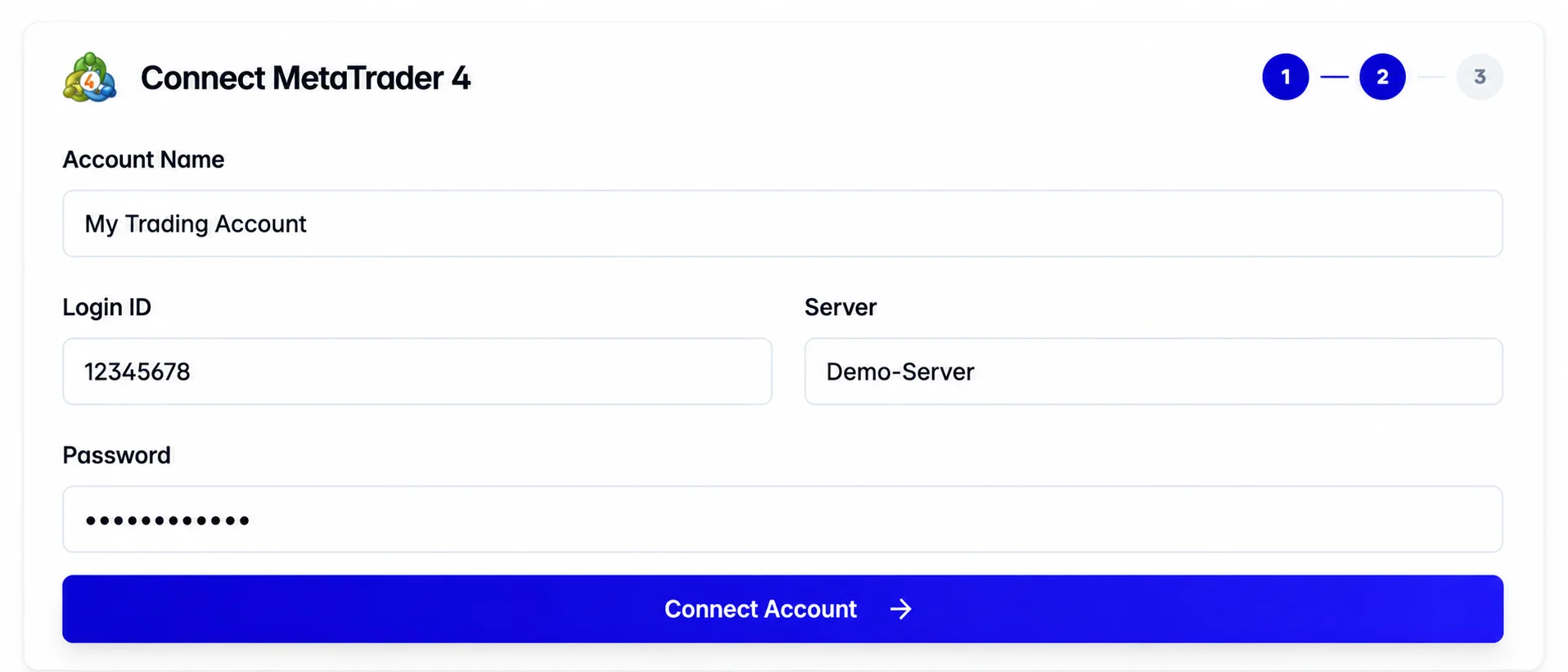
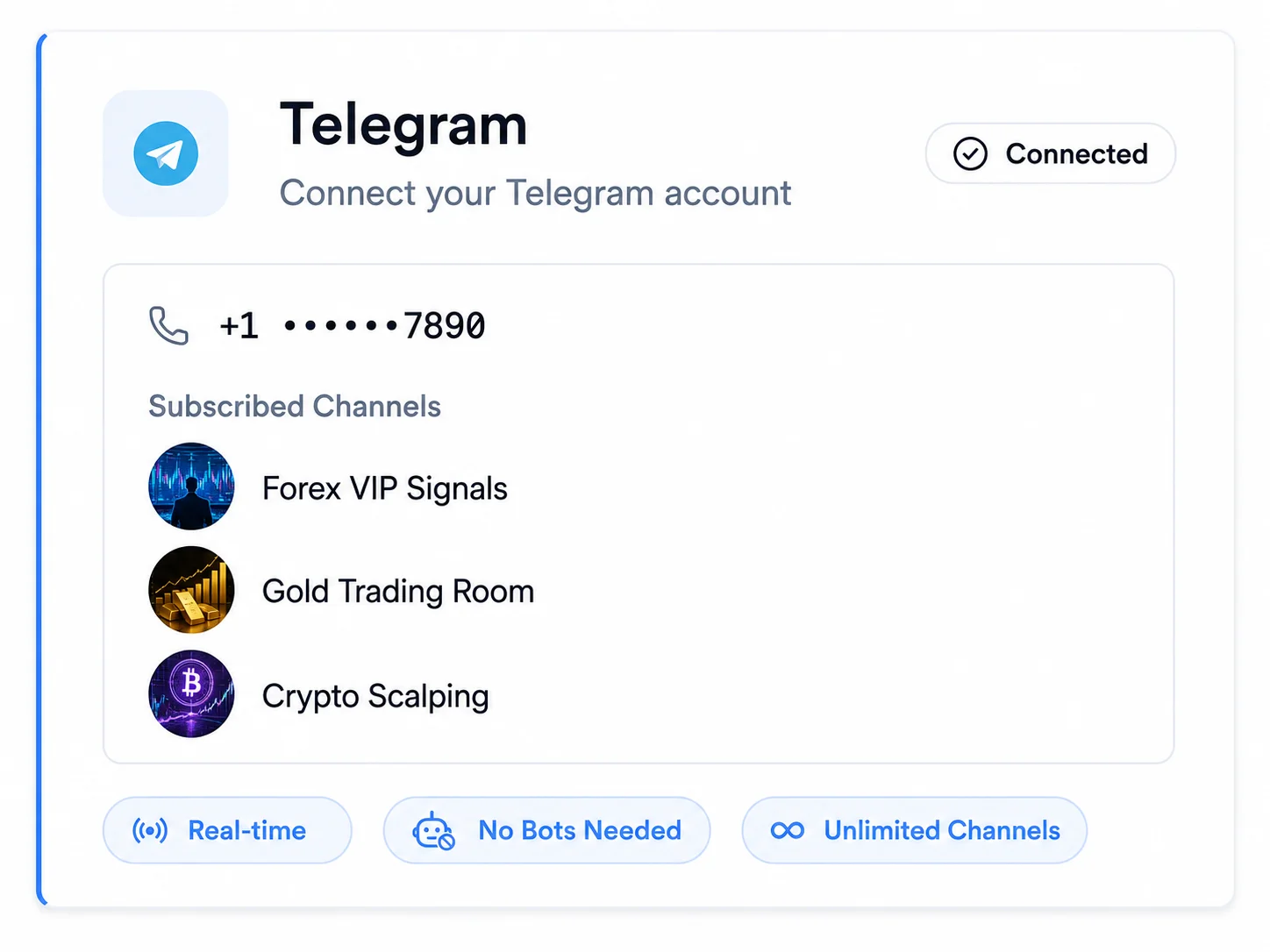
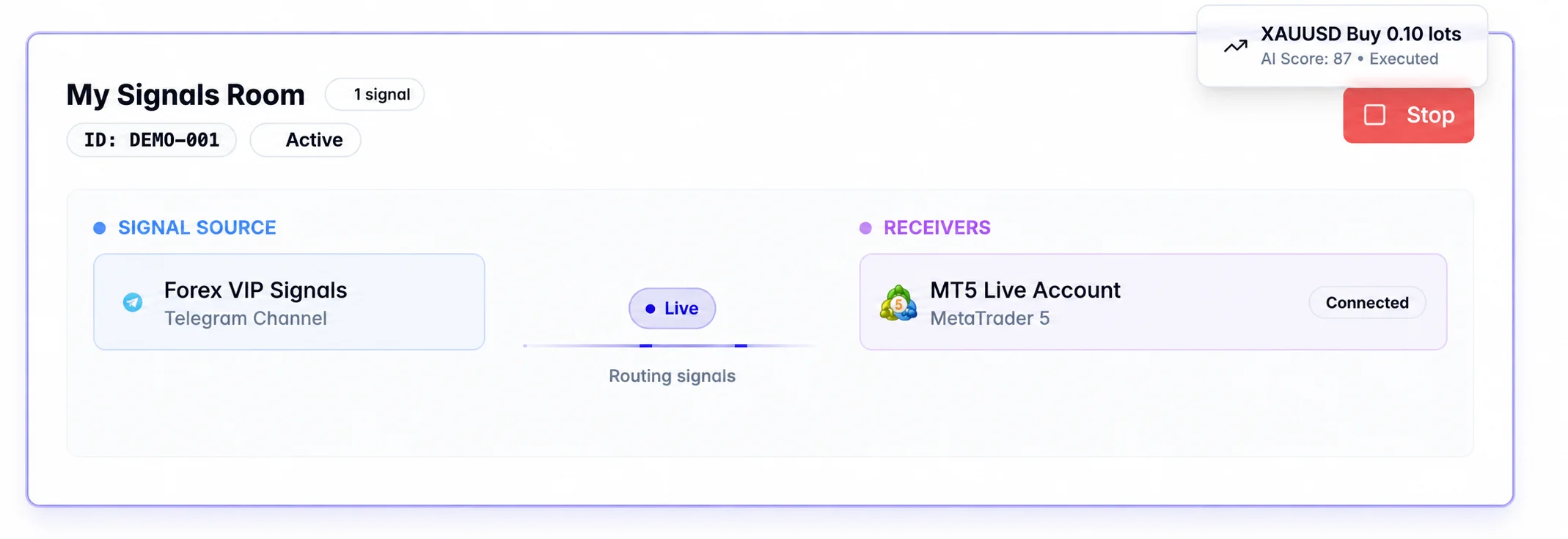
Copygram reads trading signals from your Telegram channels and routes them to connected MetaTrader 4 or MetaTrader 5 accounts. Choose lot sizes, map broker symbols and configure stop-loss and take-profit settings for each receiver. No local EA or personal VPS required.
MT4 & MT5 Supported
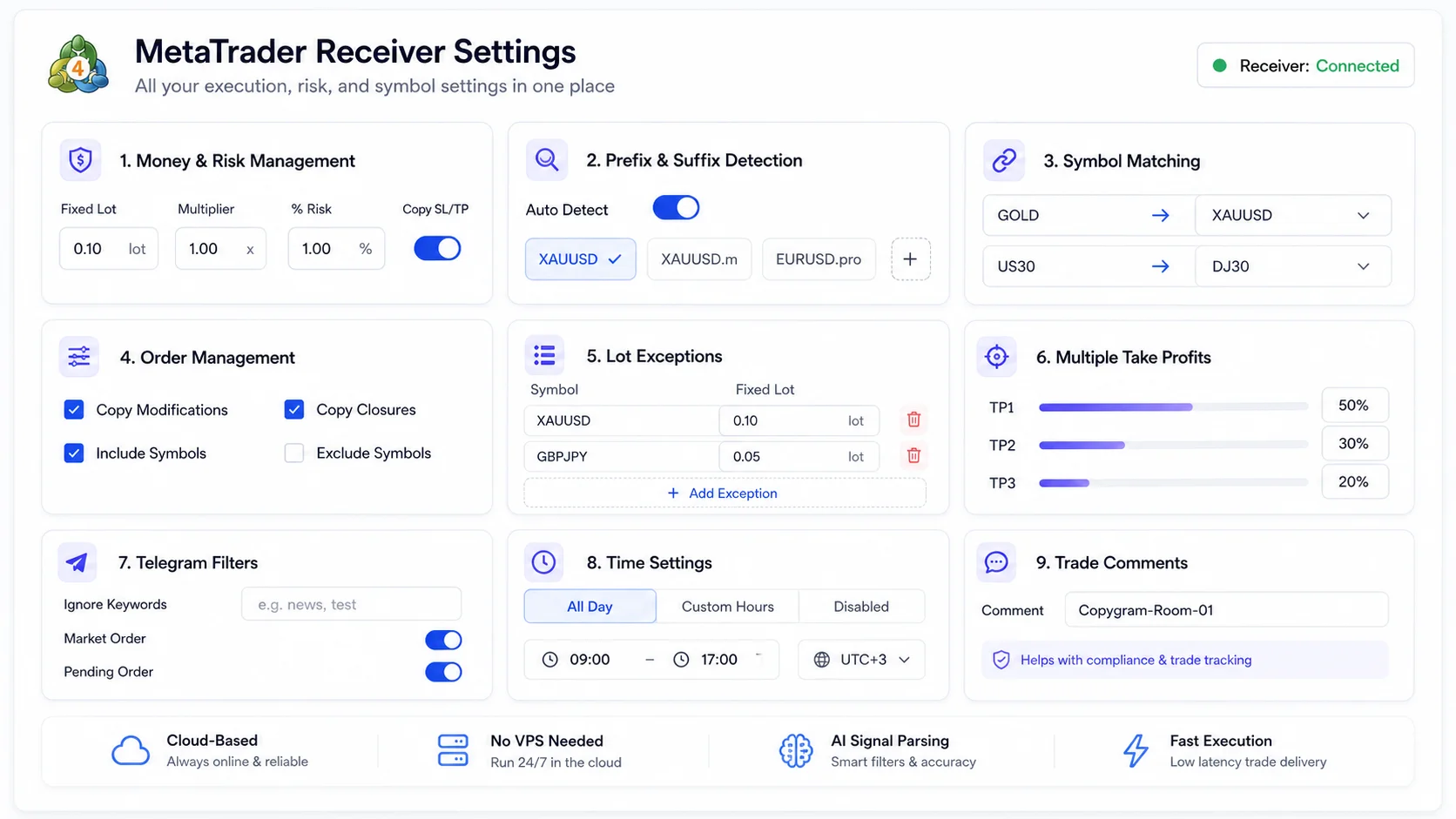
Per-Account Settings
Signal Execution Logs
No VPS Required
MetaTrader-Specific Features
Control How Telegram Signals Reach MetaTrader
Keep your channel’s signals and your account’s execution rules separate. Copygram reads the message; each receiver’s settings determine symbol matching, position size, permitted actions and trading hours.
Custom MetaTrader Trade Comments
Add a comment to identify the strategy behind your MT4 or MT5 trades. Comments support record keeping and any disclosure your broker or prop firm requires. They do not hide automation or guarantee that copying is permitted. Check the rules for your account before connecting.
CUSTOM TRADE COMMENTS
STRATEGY LABELS
TRADE RECORD KEEPING
MetaTrader Comment
Custom comment
Strategy_A
Example label for identifying copied trades.
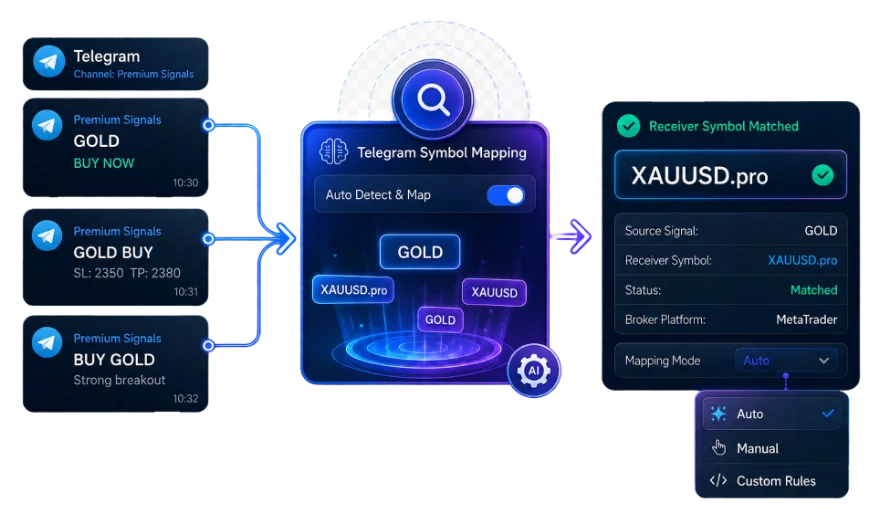
Smart Prefixes & Suffixes Management
Broker symbols can include prefixes or suffixes, such as EURUSD.pro. Use Auto-Detect or enter the prefix and suffix manually in receiver settings. If an order fails because the symbol does not match, check the exact instrument name in your broker’s Market Watch.
AUTO-DETECT MODE
MANUAL OVERRIDE
BROKER-SPECIFIC MATCHING
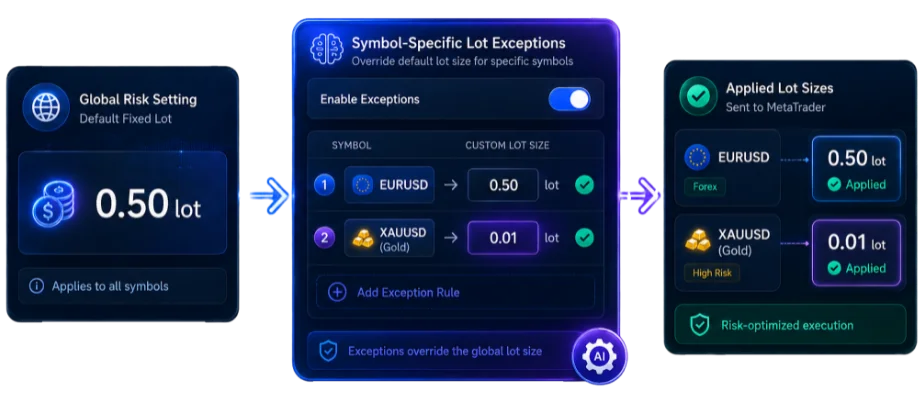
Symbol-Specific Lot Exceptions
Set a specific lot size for an individual symbol when it needs different treatment from the rest of your account. Symbol Lot Exceptions override the receiver’s default money management settings. Review those exceptions whenever you change your sizing rules.
PER-SYMBOL LOT SIZING
OVERRIDES MONEY MANAGEMENT
RECEIVER SETTINGS
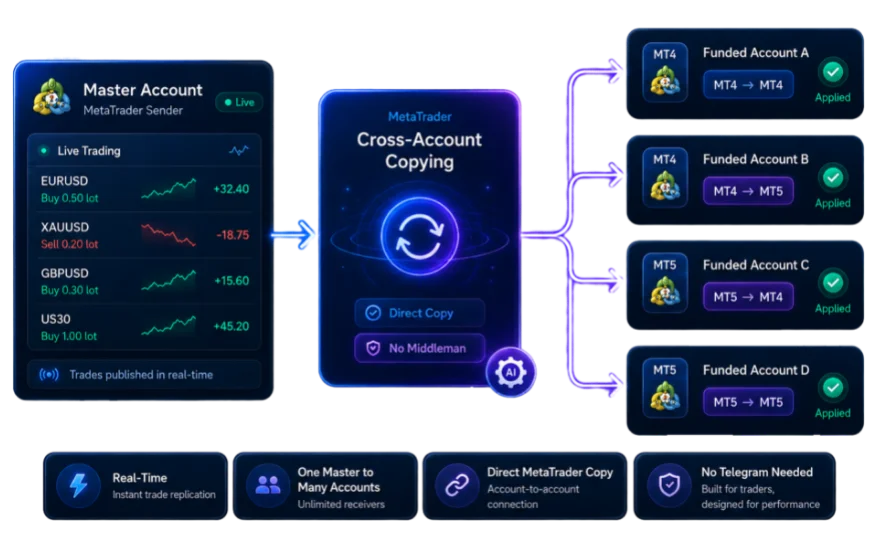
MetaTrader Cross-Account Copying
Copygram also supports MT4 and MT5 accounts as signal sources. Use a separate Room to copy trades between connected MetaTrader accounts, with independent receiver settings. Keep the direction clear so the same trade is not routed back to its source.
MT4 TO MT5
MT5 TO MT4
MULTI-ACCOUNT SYNC
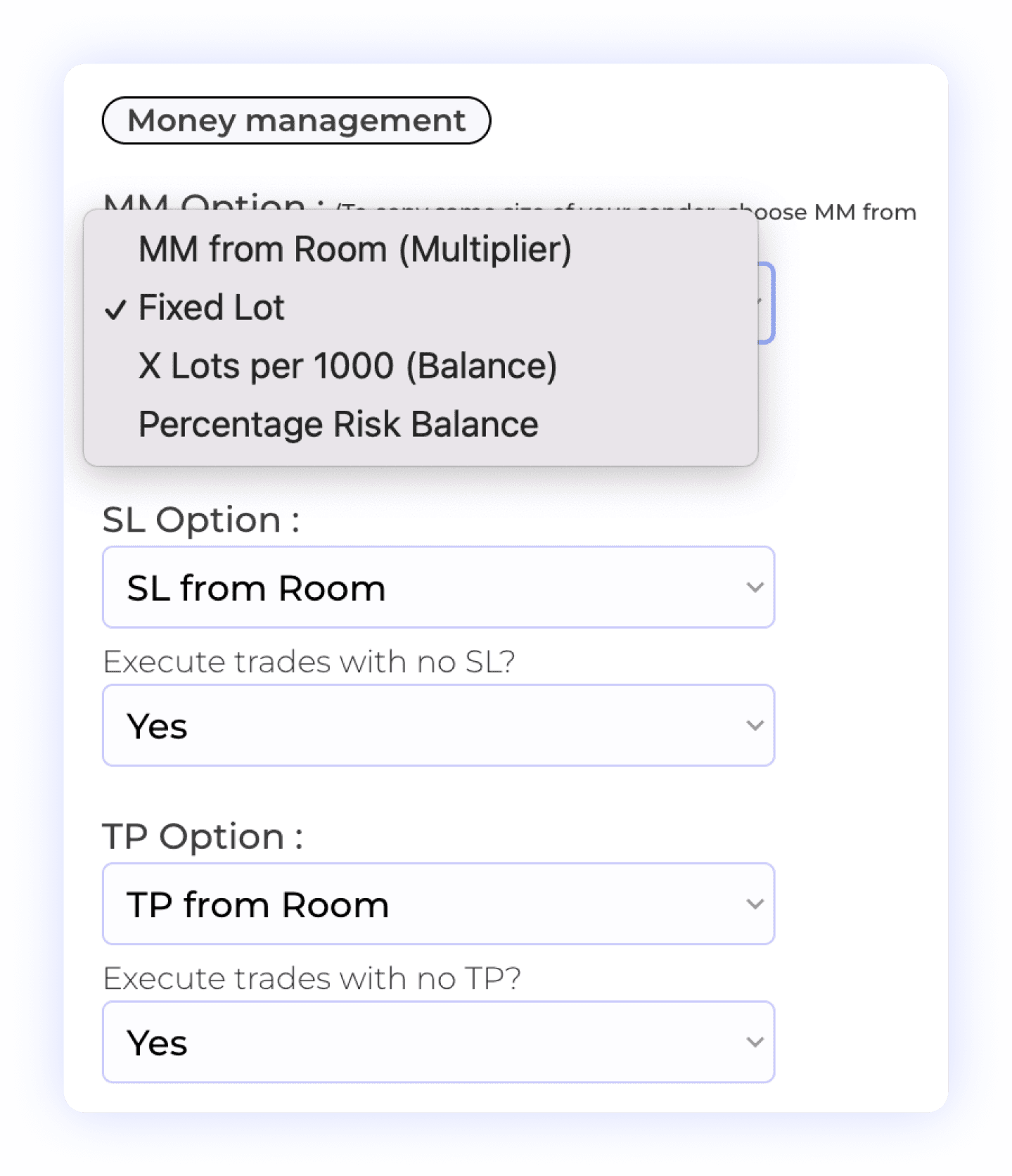
Lot Sizing, Stop Loss & Take Profit
Configure money management independently for each receiver. Choose the available sizing method, review any symbol-specific exceptions and decide how stop losses and take profits are handled. You can also choose whether to execute signals that arrive without an SL or TP.
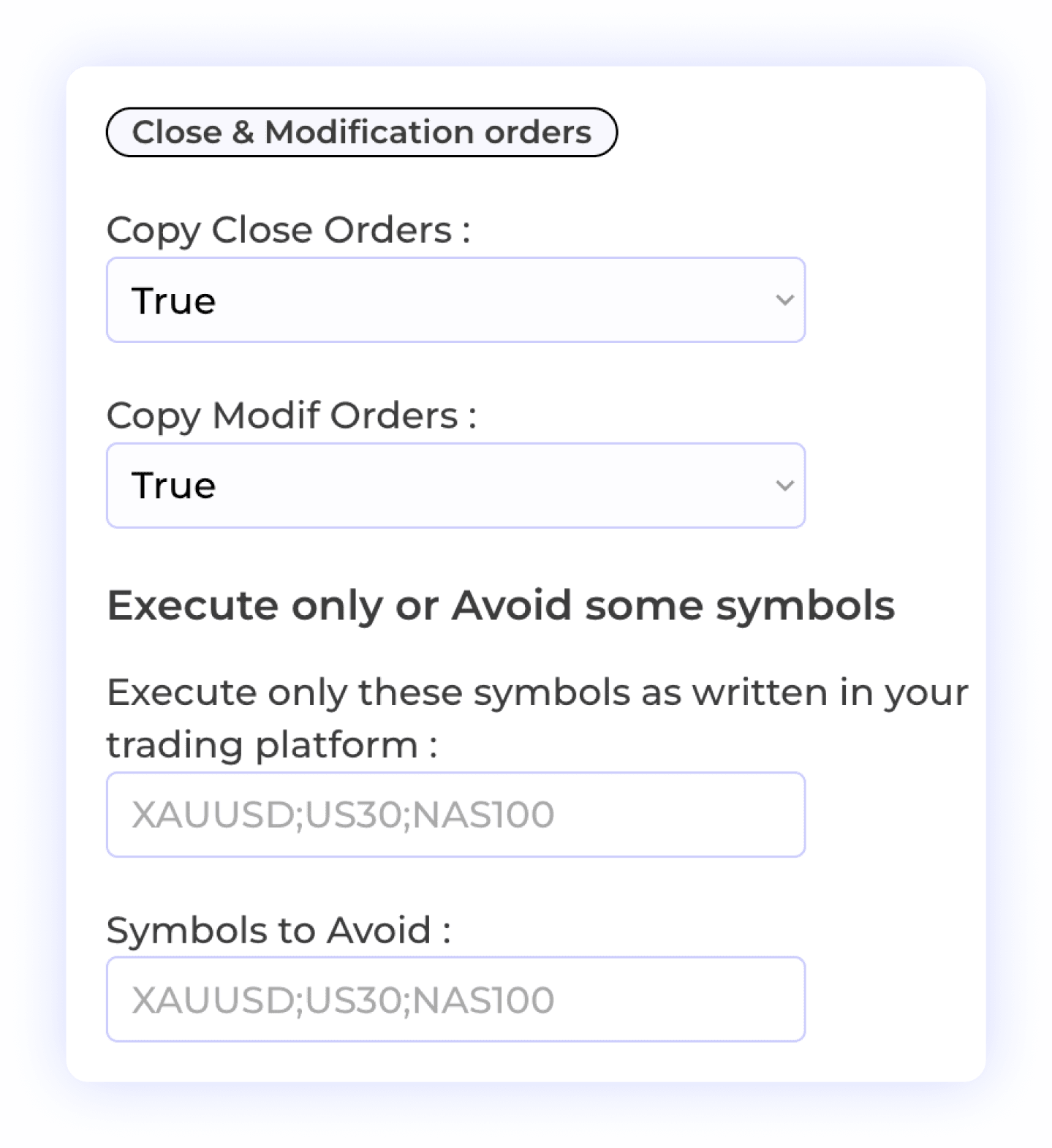
Customizable Order Management
Choose whether to copy close and modification instructions from the channel. For actions on a specific Telegram trade, the provider must reply to the original signal. A standalone “Close EURUSD” instruction closes all open trades for that symbol; a vague standalone “Close” cannot identify a trade.
Selective Symbol Copying
Order Closure
Trade Flexibility
Precision Symbol Mapping
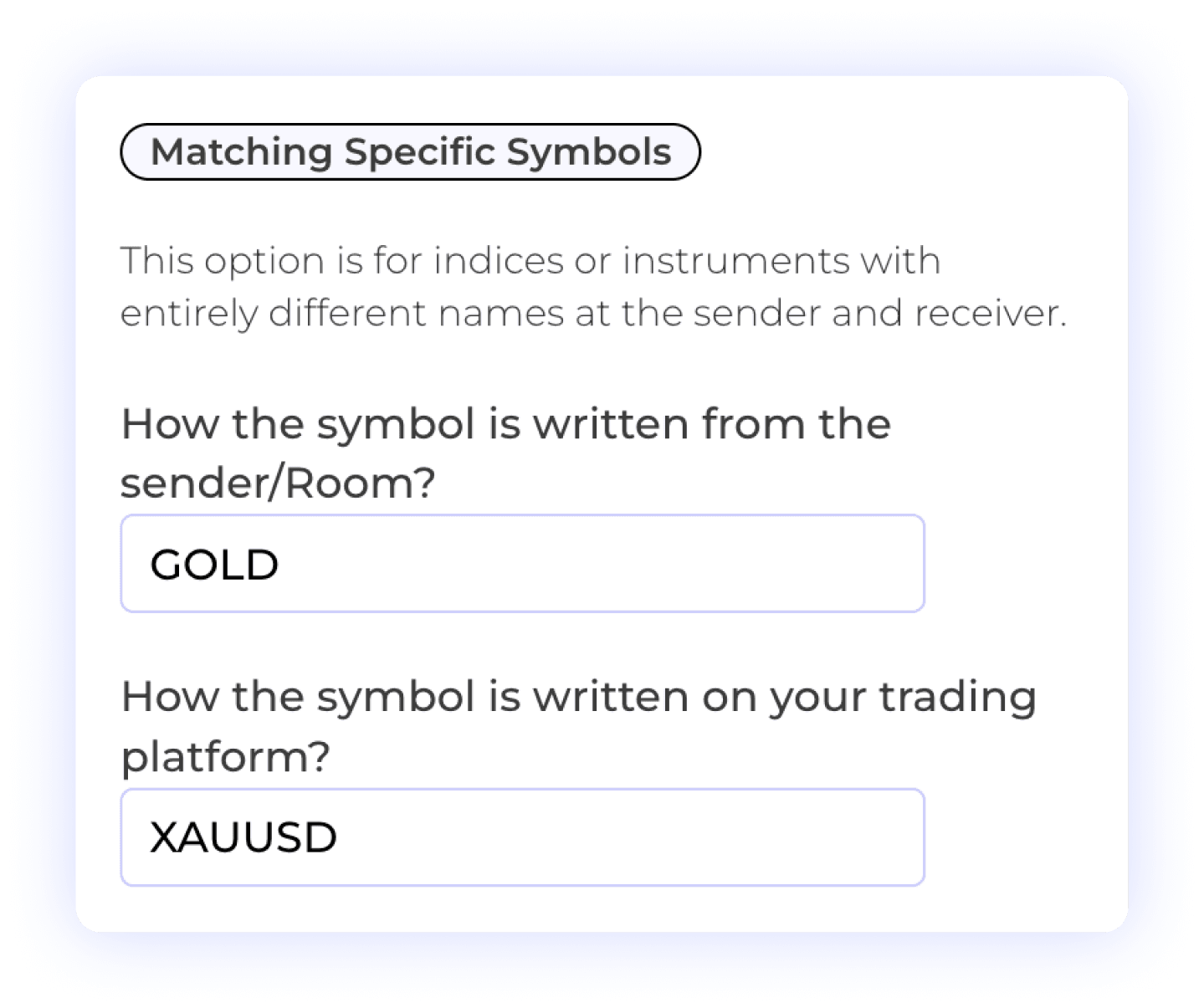
Map the symbol as written in the Telegram signal to the exact name on your receiver account. For example, GOLD may need to map to XAUUSD or a broker-specific variant. Check spelling, prefixes and suffixes when a signal arrives but the expected order does not appear.
Custom Symbol Matching
Different Symbol Formats
User Control

Multi-Take Profit Management
When a Telegram signal contains several take-profit targets, configure the percentage of the position to close at each target in receiver settings. Review the target levels and resulting order sizes on a demo account before using the same setup live.
Lot Size Management
Percent Allocation per TP
User-Controlled Trading
Smart Telegram Filter
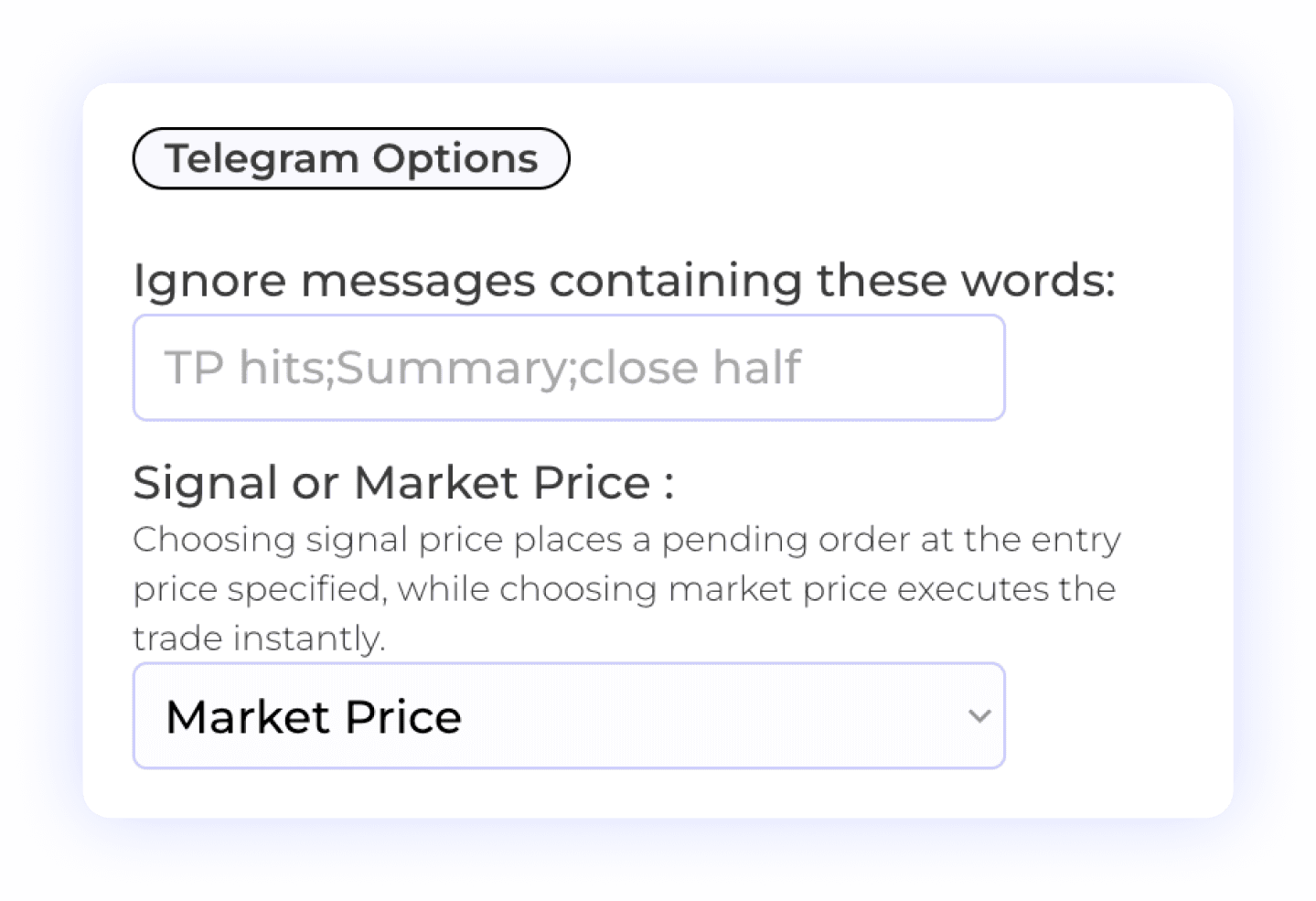
Ignore messages containing specified words or phrases, such as channel commentary. Choose Market Price to submit an order at the current market price, or Signal Price to create a pending order using the signal’s entry. Market fills can differ from the price written in the message.
Telegram Signal Filtering
Custom Keyword Settings
Signal Control

Flexible Time Settings
Choose when a receiver can process signals: all the time or during a custom schedule. If a signal is not executed, check the Room status, receiver connection, schedule and filters in addition to the signal log.
Trade Execution Timing
Automated Trading Control
Review the documented receiver settings and examples before activating your setup. Read the setup documentation →
BROKER COMPATIBILITY
Check Your MetaTrader Account Before Connecting
Confirm the exact broker server, supported instruments and account requirements. A platform connection does not override your broker’s or prop firm’s rules.
Before Connecting Your Broker
Correct MT4 or MT5 server
Account login and password
Account connection status
Exact symbol names
Order size requirements
Market trading hours
Demo setup check
Signal log review
For Funded & Evaluation Accounts
Copying permission
Allowed signal sources
Account ownership rules
Automation restrictions
Account risk limits
Required trade comments


Frequently Asked Questions
Telegram to MetaTrader — Frequently Asked Questions
Answers about Telegram to MT4 and MT5 setup, channel routing, trade management and execution checks.
Do I need an EA to copy Telegram signals to MT4 or MT5?
No local Expert Advisor is required for Copygram’s hosted MetaTrader connection. Connect the account in Copygram and add it as a receiver in a Telegram Room. You do not need to keep MetaTrader open on your own computer.
Do I need a VPS for the Telegram to MetaTrader copier?
No personal VPS is required. Copygram hosts the MetaTrader connection. Copying still depends on an active Room, a connected receiver, valid settings and the broker accepting the order.
Can one Telegram channel send signals to both MT4 and MT5?
Yes. A Room connects one signal source to one or more receiver accounts. Add your connected MT4 and MT5 accounts as receivers and configure each one separately. Check your plan’s account allowance before adding more accounts.
What if a Telegram signal uses a different symbol from my broker?
Use Symbol Mapping in receiver settings. Map the signal’s name, such as GOLD, to the exact broker symbol, such as XAUUSD. Prefixes and suffixes can be auto-detected or configured manually. Check the log and broker symbol if an order is rejected.
Can I copy Telegram signals to a prop firm account?
Only if your firm permits the copying arrangement for that account. Check its rules on automation, third-party signals and account ownership before connecting. Custom MetaTrader comments help identify trades; they do not hide automation or make a prohibited setup compliant.
How fast are Telegram signals executed on MetaTrader?
Copygram processes signals automatically after they reach an active Room. End-to-end timing and the fill price depend on the source message, connection, receiver settings, broker and market conditions. Review signal logs and broker orders; there is no fixed end-to-end execution guarantee.
Can I copy multiple Telegram channels to one MT4 or MT5 account?
Yes. Create a separate Room for each Telegram channel and add the same connected MetaTrader account as a receiver where appropriate. Each receiver in each Room has its own settings. Review the combined exposure and possible duplicate signals across channels.
How do Telegram close and modification messages work?
To close or modify a specific trade, the provider must reply to its original signal. A standalone “Close EURUSD” message closes all open trades for that symbol. A standalone “Close” without a reply or symbol cannot identify a trade. Receiver settings control whether close and modification instructions are copied.
Why did a Telegram signal not open a trade in MT4 or MT5?
Check that the Room is active and the receiver is connected. Then review the signal log, symbol mapping, lot size, trading schedule, keyword filters and SL/TP requirements. Signal Price can create a pending order rather than an immediate position. Check existing orders before resending the signal.
Endless Possibilities
Explore Other Telegram Copier Destinations
Copygram also supports other receiver platforms. Explore the route for your account and check its connection requirements before adding it to a Room.
Explore Telegram signal routing to a connected DXtrade account.
Telegram to DxTrade


Copy crypto signals with perpetual contract and leverage support.
Telegram to Binance Futures

Next-gen platform popular with funded account programs.
Telegram to TradeLocker


Growing platform used by newer prop firms and white-label brokers.
Telegram to MatchTrader