Does The Trading Pit Allow Copy Trading? Yes, Between Your Own Accounts, With Limits by Product
The Trading Pit allows copy trading between your own accounts, with limits that differ by product, and treats cross-firm copying as suspicious. Rules, quoted.

By Tom Lin, Head of IT Updated · 10 min read
Yes. The Trading Pit allows copy trading between accounts you own on every product, and its futures rules name trade copiers directly, but the limits differ by product: up to 5 accounts on Futures Prime, your 2 accounts on Futures Instant and Stocks, and own accounts only on CFD Prime and CFD Instant. Copying signals from an account that isn’t yours is a breach. Copying to or from your accounts at other firms isn’t addressed by the current rules, and the terms treat cross-firm copy trading as a suspicious pattern that can cut your payouts for up to 180 days. Hedging across accounts is prohibited everywhere. Rules checked on November 8, 2026, against The Trading Pit’s help centre and its General Terms and Conditions V5.08.26.
What The Trading Pit is
The Trading Pit is run by The Trading Pit Challenge GmbH in Vaduz, Liechtenstein, part of a group owned by Pinorena Capital. Everything is simulated: “All activity takes place on demo accounts using simulated funds”, and the firm says it isn’t a broker or regulated financial services firm. It sells five products: CFD Prime ($2,500 to $200,000, one or two phases), CFD Instant ($5,000 to $100,000), Futures Prime ($50,000 to $150,000, a 30-day challenge), Futures Instant ($50,000 and $100,000) and Stocks ($25,000 and $50,000). CFDs aren’t offered to residents of the USA, Canada or Russia. Sources: How it works, thetradingpit.com
What The Trading Pit says about copy trading
Each product has its own rules page, and each says something slightly different.
CFD Prime:
“Allowed only between accounts you own (effective 02/06/2025).”
Source: CFD Prime rules, The Trading Pit help centre
Shared or mirrored trading between different people, or “copying signals from an account that isn’t yours, is treated as a breach”. The CFD Instant rules carry the same sentence under a heading that says allowed with limits. Source: CFD Instant rules
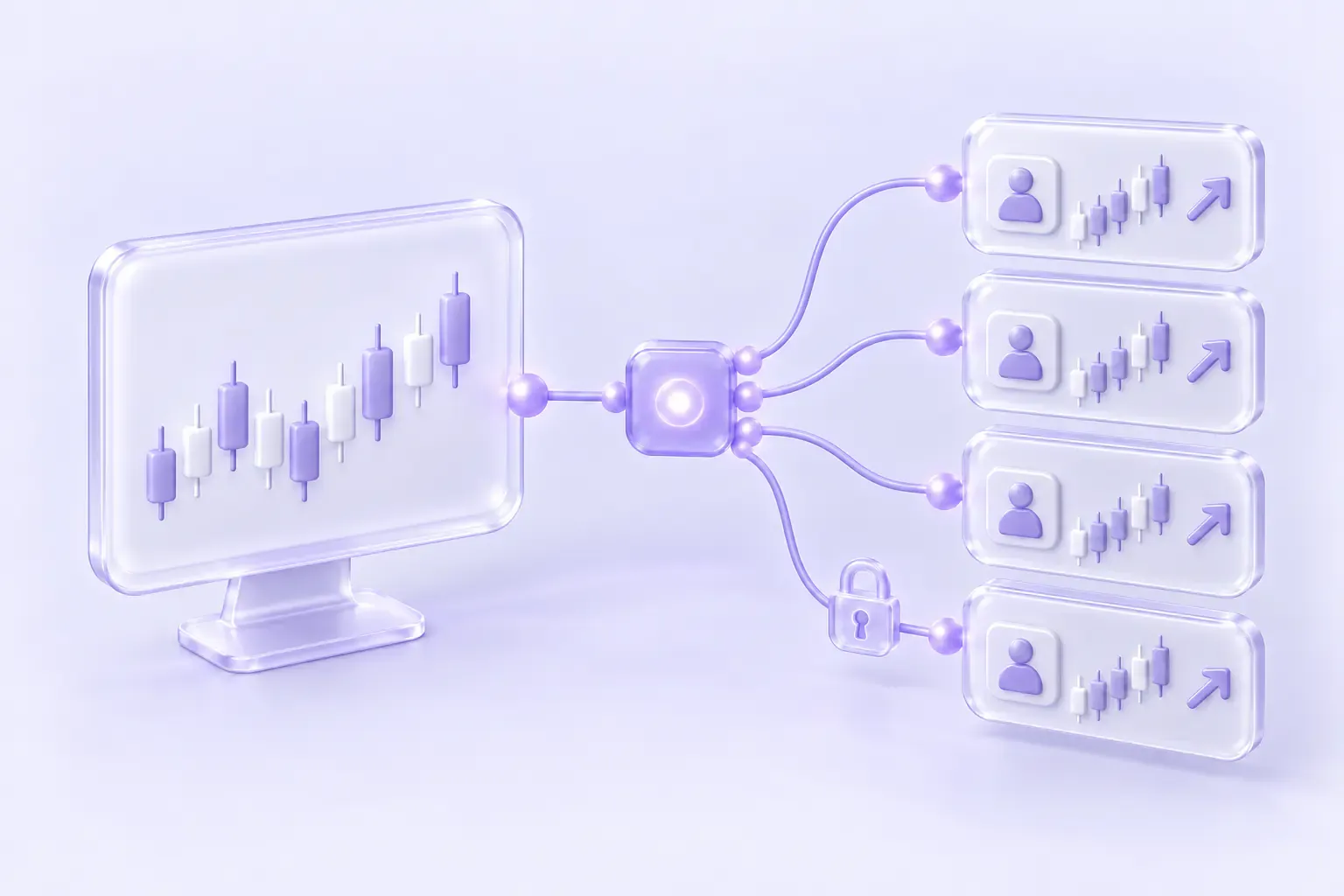
Futures Prime is the most generous: you may copy, manually or automatically, “across up to 5 of your own Challenges or 5 of your own Earning accounts”, and “Copying between Futures Challenges and Futures Earning accounts is allowed.” Running the same strategy across more than 5 accounts can get upgrades denied. Source: Futures Prime rules
Futures Instant: “You can copy trades between your own two Futures Instant accounts.” Stocks: across your own accounts, up to 2. Copying from other traders or external sources is not allowed on either. Sources: Futures Instant rules, Stocks rules
No page mentions signal groups or account managers by name; they fall under copying signals from an account that isn’t yours, and the terms ban third-party payments and more than one client account per person.
Copying with accounts at other firms
The current help centre rules don’t say whether you may copy between a Trading Pit account and your own account at another firm or broker, in either direction. Three texts bear on it:
- The terms list copy trading and arbitrage “across accounts held with TTP, with Affiliated Companies, or with third-party proprietary trading firms or brokers” among patterns that, on reasonable suspicion, let the firm withhold rewards and, for up to 180 days, impose a reduced reward rate, a consistency requirement, a lot cap or a risk cap. Suspicion doesn’t need conclusive proof. Source: General Terms and Conditions, clause 6.8
- Schedule B of the terms bans “Coordinated trading, or copying the trades of other traders or accounts” with no carve-out for your own accounts.
- An older trading rules page, still live, permits copying “between their own accounts or from external accounts they personally own” on CFD Prime. Source: Trading rules
Our reading: copying your own trades in the same direction between your own accounts is what every product page allows, but a source at another prop firm puts you inside the terms’ suspicious-pattern clause. Ask support in writing before you set up a cross-firm route, and keep the answer.
Trade copiers, EAs and devices
The futures rules name copiers and place the risk on you:
“If you use a trade copier, you’re responsible for it.”
Source: Futures Prime rules, The Trading Pit help centre
Software errors and unintended trades are your problem, and account resets aren’t given for individual technical issues. On NinjaTrader, only one specific third-party copier is permitted, and only in its compliance edition; the Futures platforms pages name it. Sources: Futures Prime platforms
EAs on the CFD and Stocks products are “Allowed, provided they don’t copy signals that aren’t yours”, don’t run latency, reverse or hedge arbitrage, HFT or emulators, and, on $100,000 and $200,000 CFD Prime accounts, don’t trade within 2 minutes of high-impact news. “You may use a VPS to run your Expert Advisor.” The terms ban EAs used by several traders at once to generate identical strategies.
The device policy applies to every product and sits awkwardly with all of this:
“accessing multiple accounts from the same IP address or network is not allowed”
Source: Trading device, IP and network policy
The policy’s stated concern is linked or coordinated trading between people, and it says shared IP use is one risk indicator among others, but no page reconciles it with copying between your own accounts from one place. “VPN usage is permitted, provided it isn’t used to enable shared access”. A cloud copier isn’t mentioned; mention it when you ask support.
Hedging across accounts
“a BUY on one and a SELL on the other, including on correlated assets”
Source: CFD Prime rules, The Trading Pit help centre
That’s prohibited on CFD Prime, CFD Instant and Stocks, where hedging inside one account for risk management is allowed. Futures Prime goes further: “A BUY and a SELL held at the same time is prohibited.”, inside one account too, and Futures Instant bans opposing positions across accounts you own or control, correlated contracts like ES and MES included, with position closure, profit removal and possible bans even if unintentional. On a copier, never reverse a receiver. See reverse copying for what that setting does.
Platforms, and where Copygram fits
CFD accounts run on MT5 or cTrader, and “Your Challenge is then bound to that platform — you cannot change it during the Challenge”. Futures run on Tradovate, NinjaTrader and TradingView on the CQG side and on ATAS, Quantower, Volsys and R|Trader on Rithmic; Stocks run on Volumetrica. Source: CFD Prime platforms, Futures Prime platforms
In Copygram, MetaTrader 5, Tradovate and NinjaTrader accounts send and receive, so you can copy between your own CFD Prime accounts on MT5, between your Futures Prime accounts on Tradovate or NinjaTrader, or from a Tradovate account to a NinjaTrader one. Copygram doesn’t connect cTrader, Rithmic platforms or Volumetrica, so pick MT5 for CFDs and Tradovate or NinjaTrader for futures if you plan to copy. Copygram copies the trades you place and doesn’t track any Trading Pit limit, so each receiver needs its own size.
Account limits
“a maximum of 8 active Earning Accounts with a combined initial balance cap of $400,000”
Source: CFD Prime rules, The Trading Pit help centre
- CFD Prime: no limit on challenges bought; 8 active earning accounts and $400,000 combined. The older trading rules page still says 4.
- CFD Instant: 2 accounts per user.
- Futures Prime: no limit on challenges; 5 active earning accounts, with further passes queued.
- Futures Instant and Stocks: 2 accounts each.
- One client account per person; merging isn’t mentioned anywhere.
Loss limits by product
| Product | Profit target | Daily loss | Max loss | Consistency | Other |
|---|---|---|---|---|---|
| CFD Prime | 10%, or 10% then 5% | 3% to 5% by variant, hard breach | 6% to 10%; static, or trailing on $100K and $200K accounts bought from April 29, 2026 | 50% on 1-phase $100K and $200K | 3 profitable days; 40% margin and 1.5% risk per idea; 21-day inactivity |
| CFD Instant | None | None | 6% trailing on the highest balance, locks at the start | 30%, 25% or 20% by size, blocks payouts | 1% or 0.5% max loss per symbol, three strikes |
| Futures Prime | 6% in 30 days | Daily pause, challenge only | Trailing end-of-day, locks at the start | 40% of target, challenge only | No overnight; 21-day inactivity; contract caps |
| Futures Instant | Per payout cycle | Dynamic daily pause | Trailing end-of-day to static | 20%, blocks payouts | Intraday only; 14-day inactivity |
| Stocks | 7% | 2% pause | 5% trailing end-of-day | 40% of target, challenge only | No overnight; 1-minute minimum hold; 14-day inactivity |
Exact amounts depend on account size and purchase date and are shown in the Client Area. Points that matter for a copier:
- CFD Prime’s daily drawdown is set on the closed balance but breached on equity: “It’s measured on your closed balance (Closed P&L, commissions included)”, and “If your equity drops below the limit, the account is breached and permanently disabled.”
- Risk per idea. On CFD Prime accounts bought before May 29, 2026, and on all $100K and $200K 1-phase accounts, the potential loss across positions in one idea is “capped at 1.5% of your initial balance”, with a warning and forced closure at the first violation and a breach at the second; margin per idea is capped at 40%.
- Minimum hold. Scalping is allowed on CFDs, but HFT, “where the majority of your trades last only a few seconds or less”, is banned everywhere. Futures flag micro-scalping when “over 50% of profits come from trades held 15 seconds or less”. Stocks need a 1-minute hold.
- Overnight. “Holding positions overnight is not allowed on Futures Prime.”; positions are force-closed before the close. Futures Instant is intraday only. CFDs can be held over weekends, except commodities, energies, metals and crypto on CFD Instant.
- Inactivity. “If 21 consecutive days pass without placing a single trade”, a CFD Prime or Futures Prime account is breached; 14 days on Futures Instant and Stocks.
- News. Allowed on CFD accounts up to $50,000 and on futures and stocks; not within 2 minutes of high-impact news on $100K and $200K CFD Prime accounts. The terms’ Schedule B bans the 2-minute window on every product, which the help centre contradicts.
Copygram sizes each receiver with its own settings but watches none of these limits.
Payouts
“Your first reward can be requested 14 days after you receive your Earning Account.”
Source: CFD Prime rewards, The Trading Pit help centre
CFD Prime pays up to 80% every 14 days, with a $100 minimum, and refunds the fee after the first or third payout depending on purchase date. CFD Instant pays up to 80% every 14 days, capped at half the realised profit or $2,500 to $4,500 by size. Futures Prime pays 80% every 7 days after 5 profitable days, capped at 50% of the buffer; Futures Instant pays 90% every 5 days with fixed caps; Stocks pays 70% every 14 days. The terms say the reward rate is indicative and “may range down to zero per cent (0%)” where trading data isn’t compliant. Source: General Terms and Conditions, Schedule A
Checklist before you copy at The Trading Pit
- Keep every account in the route in your own name, and stay within the product’s count: 5 on Futures Prime, 2 on Futures Instant and Stocks.
- Don’t copy from an account at another firm without written approval; the terms treat it as a suspicious pattern.
- Ask support about the one-account-per-IP policy and about a cloud copier before you connect.
- Never reverse a receiver. On Futures Prime, make sure no copied trade can leave a long and a short open at once, even in one account.
- Pick MT5, Tradovate or NinjaTrader at purchase; the platform can’t be changed and Copygram doesn’t connect the others.
- Size each receiver against its own daily drawdown and, where it applies, the 1.5% risk-per-idea cap.
- Check your source’s holding times and overnight habits against the futures and stocks rules.
What we couldn’t confirm
- Whether copying between a Trading Pit account and your own account at another firm or broker is allowed; the help centre is silent, the terms flag it, and an older page permits it.
- How the one-account-per-IP policy applies to one trader copying between their own accounts.
- Whether a cloud copier is treated like a VPS.
- Any list of approved copiers beyond the single NinjaTrader tool.
- Whether accounts can be merged.
- An inactivity rule for CFD Instant and a time limit for the CFD Prime challenge.
- The current CFD Prime scaling plan, described only in a 2024 blog post.
The Trading Pit copy trading: questions
Does The Trading Pit allow copy trading?
Yes, between accounts you own: own accounts only on CFD Prime and CFD Instant, up to 5 accounts on Futures Prime, and your 2 accounts on Futures Instant and Stocks. Copying from anyone else’s account is a breach.
Can I use a trade copier with The Trading Pit?
Yes. The futures rules say that if you use a trade copier you’re responsible for it, and no resets are given for copier errors. EAs are allowed on CFDs and stocks within the rules, and a VPS may run them.
Can I copy trades from another prop firm into The Trading Pit?
The current rules don’t say. The terms treat copy trading across accounts at third-party prop firms or brokers as a suspicious pattern that can reduce your rewards for up to 180 days, so get written approval first.
Does The Trading Pit allow hedging?
Within one account, yes on CFDs and stocks, no on Futures Prime. Across accounts, no on every product, correlated instruments included.
Which platforms does The Trading Pit offer?
MT5 and cTrader for CFDs; Tradovate, NinjaTrader, TradingView, ATAS, Quantower, Volsys and R|Trader for futures; Volumetrica for stocks.
Can I use Copygram with The Trading Pit?
Yes, for accounts on MetaTrader 5, Tradovate or NinjaTrader, which Copygram sends to and receives from. It doesn’t connect cTrader, Rithmic platforms or Volumetrica. Copygram copies your own trades and doesn’t track The Trading Pit’s limits.
Sources
All checked on November 8, 2026:
- CFD Prime rules, CFD Instant rules, Futures Prime rules, Futures Instant rules, Stocks rules
- Trading device, IP and network policy, Gambling policy
- CFD Prime platforms and trading conditions, Futures Prime platforms and conditions, Futures Instant platforms
- CFD Prime rewards, CFD Instant rewards, Futures Prime rewards, Futures Instant rewards, Stocks rewards
- How it works and getting started, CFD Prime: how it works, Futures Prime: how it works
- General Terms and Conditions V5.08.26, Trading rules (older page), Legal notice, thetradingpit.com