Does Audacity Capital Allow Copy Trading? Yes, Between Your Own Accounts
Audacity Capital allows copy trading between accounts you own, including your own external account, and bans third-party copying and bought EAs. Rules, quoted.

By Tom Lin, Head of IT Updated · 10 min read

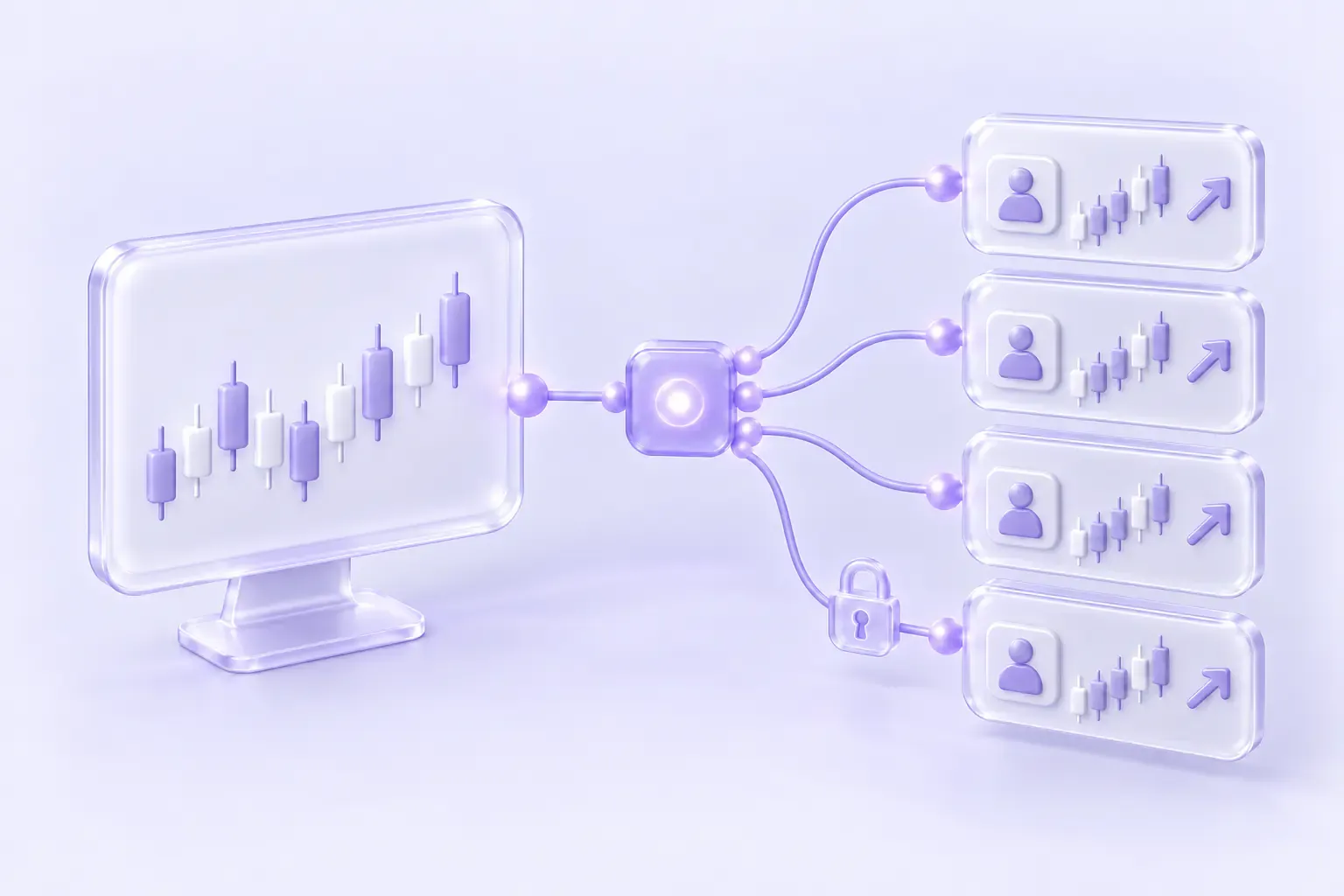
Yes. Audacity Capital allows copy trading between your own Audacity accounts, and from an external account into Audacity if that account belongs to you. Copying anyone else is a prohibited practice, and so is letting anyone else trade your account. Its Code of Conduct permits copy-trading tools that reflect your own strategy, but only EAs you built yourself, and its terms ban automated tools that open many positions at once without your oversight. Hedging across accounts, at the same firm or different firms, is banned. The platforms are MT5 and DXtrade, both of which Copygram connects. Rules checked on November 8, 2026, against Audacity Capital’s Knowledge Center, Code of Conduct and terms.
What Audacity Capital is
Audacity Capital is a London-born prop firm, operating since 2012, whose trading programmes run through AudaCity Global LTD, licensed in the Union of Comoros, with a payment entity in Dubai and an office in London. Its programmes run “primarily” in a simulated environment, and the firm reserves the right to move eligible traders to a live environment on its own capital. It offers spot forex and CFDs on indices, commodities, metals and crypto, with no futures. Sources: Terms and conditions, About
Three programmes are on sale: the Ability Challenge (2 steps, $5,000 to $200,000), Ability One (1 step, $5,000 to $100,000) and FTP Instant Funding ($5,000 to $50,000). New rules for FTP and Ability One took effect for accounts bought on or after November 2, 2026; older accounts keep the previous rules, which aren’t published. Source: Getting started, Trading guidelines
What Audacity Capital says about copy trading
The Knowledge Center answers in one sentence:
“Copy trading is allowed between your own accounts within Audacity Capital”
Source: Step by step trading guidelines, Audacity Capital Knowledge Center
The same sentence continues: “copying from an external account is allowed only if the account belongs to you”, and “Third-party copying is not permitted.” The firm’s own blog gives the example of mirroring your personal MT5 account into your Audacity account. The page doesn’t name other prop firms or brokers, and nothing on the site addresses copying out of Audacity to your accounts elsewhere.
The same Knowledge Center page, and the terms, list copy trading among the prohibited practices. The definition is what reconciles them:
“Copy trading: mirroring or duplicating another trader’s trades onto your account”
Source: Terms and conditions, Trading rules and prohibited practices
The prohibited-practices guide gives the example of an account connected to a copy-trading service that replicates a signal provider’s master account, banned even if you could override each trade. Account management by anyone else, paid or not, is a separate prohibited practice, and so is handing your login to a friend. Discussing ideas in communities or signal channels is fine; the line is crossed when someone else’s decisions are executed on your account. Source: Prohibited trading practices guide
A January 2026 webinar summary on the site put it more loosely, allowing external copying “provided the master account is manually traded”, without requiring that you own the master account. The Knowledge Center wording is the current rule, and the terms say they prevail over the Knowledge Center where the two conflict.
Copier tools and EAs
The Code of Conduct is the one page that names the tools:
“copy-trading tools, provided they reflect your own strategy”
Source: Code of Conduct and Ethics Policy, Audacity Capital
The full sentence allows EAs, trading bots or copy-trading tools on that condition, and adds that they must comply with the risk rules. For EAs the Knowledge Center is stricter than for copiers:
“Only EAs you’ve personally developed are permitted.”
Source: Step by step trading guidelines
Commercially sold EAs, EAs coded by someone else, even a freelancer working to your specification, and EAs downloaded or shared from outside are banned. High-frequency trading is banned too. One more prohibited practice matters to copier users:
“Using automated tools to open many positions simultaneously across symbols or accounts”
Source: Step by step trading guidelines, prohibited strategy 11
Audacity calls it automated multi-trade activity, and its example is a script that fires 15 trades across pairs the moment a webhook arrives, with no review of any position. A copier that mirrors one trade you placed yourself is a different thing, but a copier fed by an automated source that opens baskets of trades looks exactly like the example. Keep the source account traded by you.
On hosting: “the use of VPN services by traders is generally prohibited”, with exceptions on written justification, while “the use of a VPS is permitted, provided it is utilized for Expert Advisors (EAs)” without server abuse. The Code of Conduct adds that trading from IPs inconsistent with your registered location may trigger a review. A cloud copier isn’t mentioned; its connection comes from Copygram’s servers, so tell Audacity’s risk team before you connect one.
Hedging across accounts and firms
“whether within one account or across multiple accounts”
Source: Terms and conditions, prohibited practice (c)
Opposing buy and sell positions on the same instrument are prohibited in that clause, inside one account or split across your own accounts or accounts coordinated with others. The Funded Trader Program FAQ extends it to accounts “with the same firm or different firms”, so a short at another firm against an Audacity long counts. Uncorrelated instruments that happen to move apart aren’t a hedge under the rule. On a copier, never reverse a receiver. See reverse copying for what that setting does. Source: Funded Trader Program FAQ
Platforms, and where Copygram fits
“We offer MetaTrader 5 (MT5) and DXtrade for the optimal trading experience”
Source: Getting started, Audacity Capital Knowledge Center
“Traders from the US must use DXTrade to trade with AudaCity Capital.” There is no MT4, cTrader, Match-Trader or TradeLocker. In Copygram, MetaTrader 5 accounts send and receive, and DXtrade accounts receive. So an Audacity MT5 account can be the source or a receiver, for example MT5 to MT5 between two Audacity accounts or MT5 to DXtrade from an MT5 account to a US trader’s Audacity DXtrade account, and your own MT4, MT5, TradeLocker or Tradovate account elsewhere can feed an Audacity account on either platform. Copygram copies the trades you place; it doesn’t track Audacity’s limits, so size each receiver on its own.
Account limits
“The maximum total live allocation is $400,000 across all programmes combined.”
Source: Getting started, Audacity Capital Knowledge Center
- Evaluation accounts: up to $200,000 per programme on the Ability Challenge and Ability One.
- FTP: “One active FTP account at a time, whatever the size”, and it counts towards the $400,000 at its full size.
- Passed accounts beyond the cap can be kept as backups and activated when a live account is breached.
- The Code of Conduct says “Multiple accounts must be declared and approved in advance by our team”, so tell Audacity before you run several.
- No numeric cap on the number of accounts is stated, and merging isn’t mentioned. Scaling doubles an Ability account after 2.5% profit in each of three consecutive months and a withdrawal, up to $2 million; FTP doesn’t scale.
Loss limits by programme
| Programme | Profit target | Daily loss | Max loss | Consistency | Minimum days |
|---|---|---|---|---|---|
| Ability Challenge, phase 1 | 10% | 7.5% | 15% static | None | 4 trading days |
| Ability Challenge, phase 2 and live | 5% in phase 2 | 5% | 10% static | None | 4 trading days in phase 2 |
| Ability One | 10% | 3% | 6% static | 50% on the live stage | None |
| FTP Instant Funding | None | 5%, trailing on the day’s highest equity | 10% static | 35% | None |
How the limits are measured:
- Daily loss on the Ability programmes is set at rollover, 00:00 GMT+2, “based on the higher value between your balance or equity at that moment”, and doesn’t move during the day. Breaches are on equity, open trades included.
- FTP’s daily limit trails. “Your breach level is set at 95% of your highest equity point.” The floor rises with your equity during the day and never falls, then resets at rollover. Source: FTP FAQ
- Consistency means your best day’s profit as a share of total net profit; the score resets after each payout and a failed check delays the payout rather than breaching the account. The 50% and 35% rules “will take effect on November 2, 2026”. Older marketing pages still say there is no consistency rule.
- Minimum days on the Ability Challenge are 4 per phase; Ability One’s pages disagree with each other (none in the table, 3 in the text), and the terms say none.
Copygram sizes each receiver separately but watches none of these limits. A copied trade that’s small on a $100,000 source can be a daily-limit breach on a $5,000 Ability One account with a 3% limit.
Other rules a copier can break
- News. Avoid opening, closing by take profit, stop loss or by hand, or adding to positions “within 3 minutes before or after any high-impact news release or speech”, on every programme. A take profit hit one minute after a release counts as a violation. Source: Step by step trading guidelines
- Scalping. Allowed, but the risk team acts “if trades are within two minutes or less”, and the terms define tick scalping as closing within 2 minutes. A copier copies the source’s holding time.
- Lot cap. No lot size limit as such, but “a maximum limit of 10 lots per open position”. Source: General trading rules
- Stop losses aren’t required by the Knowledge Center, though the Code of Conduct says all trades “should include stop-loss orders”.
- Inactivity. The three programmes “follow a six-month inactivity rule”; free trials close after 30 days.
- Weekends. Holding over the weekend and overnight is allowed on every programme; opening positions just before Friday’s close to profit from the weekend gap is prohibited.
- Reviews. You can’t trade while a payout or scaling review is in progress, which takes 1 to 3 working days. Pause the receiver in Copygram for that period.
Payouts
“14 days after placing your first trade on the Ability Live phase account”
Source: Ability Challenge FAQ, Audacity Capital Knowledge Center
That’s the first payout on the Ability programmes, then every two weeks. The split starts at 75% and rises to 85% when a payout exceeds 10% profit, with up to 90% after scaling; the Ability Challenge fee is refunded with the first payout. FTP pays every 14 days from the first trade at 75% for the first payout, 80% for the second and 85% from the third. The minimum withdrawal is $20, and a breached account can’t be paid out even in profit. Sources: Ability One FAQ, FTP FAQ
Checklist before you copy at Audacity Capital
- Put only accounts you own in the route. If the source is at another firm or broker, make sure it’s in your name.
- Trade the source yourself. Don’t feed Audacity from an automated system that opens baskets of trades.
- Declare your multiple accounts to Audacity’s team in advance, and tell its risk team you’re connecting a cloud copier.
- Keep every account in the same direction; never reverse a receiver or hold the opposite side at another firm.
- Size each receiver against its own daily limit, drawdown and the 10-lot cap per position.
- Keep the source out of the 3-minute news window, and check its holding times against the 2-minute scalping rule.
- Pause receivers during payout and scaling reviews.
What we couldn’t confirm
- Whether copying out of an Audacity account to your own accounts elsewhere is allowed; only inbound copying is addressed.
- How Audacity verifies that an external source account belongs to you.
- Whether a cloud copier is treated like a VPS, which is permitted for EAs, or like a VPN, which is generally prohibited.
- Whether a trade copier counts as a third-party EA. The Code of Conduct allows copy-trading tools that reflect your own strategy, while the EA rule allows only self-built software.
- The rules for FTP and Ability One accounts bought before November 2, 2026.
- Any rule on running several accounts from one IP or device.
- A maximum number of accounts, as opposed to the dollar caps, and whether accounts can be merged.
Audacity Capital copy trading: questions
Does Audacity Capital allow copy trading?
Yes, between your own Audacity accounts, and from an external account into Audacity if the account belongs to you. Copying another trader’s account or a signal provider is a prohibited practice.
Can I use a trade copier on Audacity Capital accounts?
Audacity’s Code of Conduct allows copy-trading tools provided they reflect your own strategy and comply with the risk rules. Tell its risk team before connecting a cloud copier, since the pages only address VPS and VPN.
Can I copy trades from another prop firm into Audacity Capital?
Yes, if the account at the other firm is yours. Audacity’s pages don’t name other firms, and they ban opposite positions across accounts at the same or different firms, so keep both sides in the same direction.
Does Audacity Capital allow EAs?
Only EAs you personally developed. Commercial EAs, EAs written for you by a developer and downloaded or shared EAs are prohibited, and so are high-frequency trading and automated tools that open many positions at once.
What platforms does Audacity Capital offer?
MetaTrader 5 and DXtrade. US residents must use DXtrade.
Can I use Copygram with Audacity Capital?
Yes. Copygram sends and receives on MetaTrader 5 and receives on DXtrade, so an Audacity account can be a source or a receiver. Copygram copies your own trades and doesn’t track Audacity’s limits.
Sources
All checked on November 8, 2026:
- Step by step trading guidelines for funded traders (copy trading, EAs, prohibited strategies, VPN and VPS, drawdown, consistency, minimum days, news, scalping, allocation)
- Terms and conditions (prohibited practices, drawdown and target tables, FTP account limit, inactivity, precedence)
- Code of Conduct and Ethics Policy
- Prohibited trading practices guide
- Getting started, General trading rules
- Ability Challenge FAQ, Ability One FAQ, FTP Instant Funding FAQ
- Funded Trader Program FAQ, New trading rules webinar summary, January 2026
- About Audacity Capital, audacity.capital