Does Axi Select Allow Copy Trading? No, Not in Any Form
Axi Select bans copy trading in any form and allows only EAs you built yourself, so a copier can't be used. Its stages, loss limits and MT4/MT5 rules, quoted.

By Tom Lin, Head of IT Updated · 11 min read
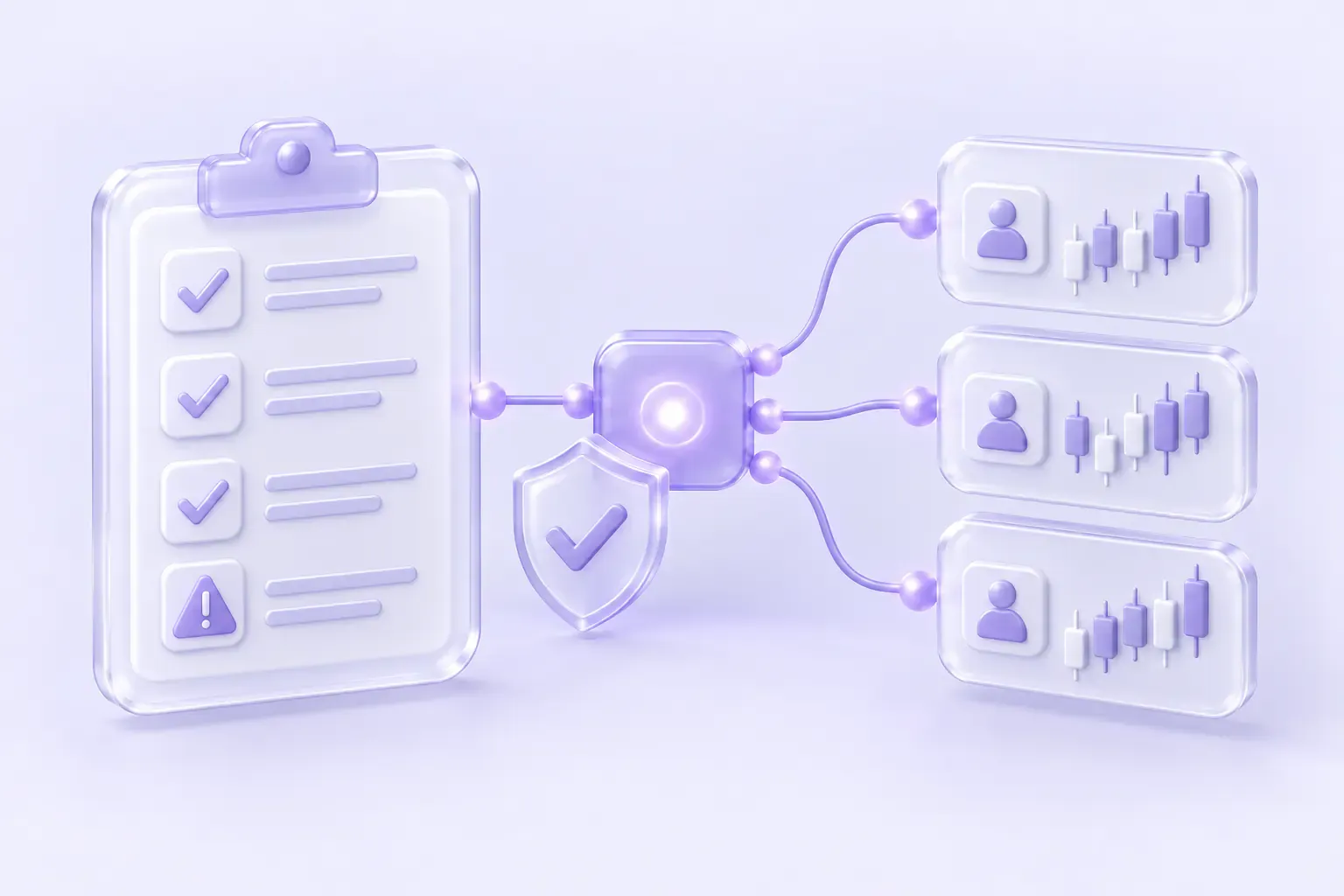
No. Axi Select bans copy trading in any form, with no exception for copying your own trades between your own accounts. Its help centre calls copy trading “strictly prohibited”, allows only Expert Advisors you built yourself, and lists “automated trade copying” among the methods that get an account removed from the programme. A trade copier such as Copygram therefore can’t be used on an Axi Select account, whether it runs as an EA, on a VPS or from the cloud. Rules checked on November 8, 2026, against Axi’s help centre.
What Axi Select is
Axi Select isn’t a prop firm with a paid evaluation. It’s a capital allocation programme run by the broker Axi for its own clients, on a live Axi account funded with your own money:
“There are no registration fees or ongoing membership fees with Axi Select.”
Source: What is Axi Select?, Axi help centre
You trade an Axi Select trading account that holds your deposit (at least $500 USD). Axi opens a separate Allocation Account with its own capital and mirrors your trades into it at a multiplier, from x10 at Seed to x50 at Pro M. Only the Allocation Account’s profit is shared, up to 80% at the top stage, and funding reaches $1,000,000 USD at Pro M. Axi says “No third-party evaluation is required”: your Edge Score, a performance metric Axi calculates from your own trading, decides when you qualify and when you move up. The programme is offered to clients of AxiTrader LLC only.
So Axi Select is itself built on copying: Axi copies you. What Axi forbids is adding a copier of your own on top.
What Axi says about copy trading
Axi’s help centre answers the question in one sentence:
“Because the Axi Select program is specifically designed to evaluate and foster individual trading talent, the use of Copy Trading in Axi Select is strictly prohibited.”
Source: Can I use Copy Trading in Axi Select?, Axi help centre
The same article adds that “While Expert Advisors (EAs) can be employed for trading activities, it’s important to note that they must not be utilized for copying trades.” Axi’s article on removals from the programme spells out the consequences:
“The following trading styles and methods are not permitted in Axi Select and may result in removal: copy trading in any form; use of unauthorised or third-party Expert Advisors for automated execution; high-frequency trading strategies designed to exploit platform latency; hedging strategies used solely to game stage metrics rather than manage genuine risk; and trading patterns that do not reflect independent decision-making.”
“Using prohibited methods such as copy trading, unauthorised Expert Advisors, or automated trade copying will result in removal from the program.”
Source: Why was I removed from the Axi Select program?, Axi help centre
Axi’s own copy trading app is closed to the programme too. Its sign-up guide says “Copy Trading is not available for Demo and Axi Select accounts.” Source: How do I open an Axi Copy Trading account?, Axi help centre
Can you copy your own trades between your accounts?
Not with a copier. Some firms allow copying as long as every account is yours; Axi’s pages make no such exception. The ban is on “copy trading in any form”, and “automated trade copying” is named as a reason for removal, so sending your own trades from another account into an Axi Select account, or out of it, is covered. Axi’s pages don’t say whether placing the same trades by hand on another account counts as copy trading.
Since you can hold only one Axi Select account at a time, the usual own-accounts setup, one lead account copied to several accounts at the same firm, doesn’t exist here anyway.
EAs, VPS and automation
Axi allows Expert Advisors in Axi Select, with three conditions:
“EAs must be custom-built: Only your own custom-built Expert Advisors are allowed.”
“Third-party EAs for signals: While you can use third-party EAs for trading signals, all trades must be placed manually.”
“EAs cannot be used for Copy Trading”
Source: Can I use an Expert Advisor (EA) with my Axi Select Account?, Axi help centre
A VPS is permitted, but Axi says it changes nothing about automation or copying:
“While a VPS is permitted, any trading activity conducted through it must still comply with all Axi Select program rules — including the prohibition on automated trading bots and copy trading.”
“If you use a VPS to run automated execution tools or copy trading software on your Axi Select account, this remains prohibited.”
Source: Can I use a VPS (Virtual Private Server) for Axi Select?, Axi help centre
The two articles don’t sit perfectly together: the EA page says you can use your own EA to trade, while the VPS page refers to a “prohibition on automated trading bots”. If you plan to run an EA you wrote, ask Axi’s Customer Success team in writing first. Axi also monitors for “Trading behaviours that appear to game stage metrics rather than reflect genuine trading skill”, which it says are not permitted. Source: Why did I receive a warning about my trading activity?, Axi help centre
Hedging
Axi doesn’t ban hedging in Axi Select, but it discounts it twice. To qualify you need 20 unique closed trades, and Axi says “Hedged positions do not count toward the 20 unique trade requirement.” Source: How do I qualify for the Axi Select program?, Axi help centre
And “hedging strategies used solely to game stage metrics rather than manage genuine risk” are on the list of methods that lead to removal. Opposite positions across separate accounts aren’t addressed on Axi’s Select pages.
Platforms and account limits
Axi Select runs on MetaTrader, and both versions are offered:
“Yes, Axi Select is available on both MT4 and MT5. The program structure, rules and scoring are identical on both platforms. However, you can only hold one Axi Select account at a time.”
“You cannot hold both an MT4 and MT5 Axi Select account at the same time. You must choose one platform.”
Source: Can I use Axi Select on MT5, and can I have both MT4 and MT5 accounts?, Axi help centre
| Limit | Axi’s rule |
|---|---|
| Axi Select accounts | One at a time, on MT4 or MT5 |
| Live Axi accounts in total | “Each Axi client can hold up to five (5) trading accounts in total, including any Axi Select account.” |
| Switching MT4 and MT5 | Close the current account first; “Your progress and Edge Score cannot be transferred and will be reset.” |
| Leverage | Adjustable in Pre-Seed and Seed, “from the Incubation stage onwards, leverage is fixed at 100:1” |
Sources: Does my Axi Select MT5 account count toward my overall trading account limit?, What are the Axi Select stages?
Stages, funding and loss limits
Everyone starts in Pre-Seed and enters Seed with an Edge Score of 50 and $500 USD in the account. From there the programme has six stages. Axi lists the maximum funding and multiplier per stage, a 7% profit target for every stage up to Pro 500, and a maximum loss of 7% (10% at Pro M) measured from your equity at the start of the stage.
| Stage | Max funding | Max multiplier | Profit target | Max loss | If the loss limit is hit |
|---|---|---|---|---|---|
| Seed | $5,000 | x10 | 7% | 7% | Removed, restart from Seed |
| Incubation | $20,000 | x10 | 7% | 7% | Quarantine (7 days), up to 3 times |
| Acceleration | $100,000 | x25 | 7% | 7% | Quarantine (7 days), up to 3 times |
| Pro | $200,000 | x40 | 7% | 7% | Removed, restart from Seed |
| Pro 500 | $500,000 | x50 | 7% | 7% | Removed, restart from Seed |
| Pro M | $1,000,000 | x50 | None | 10% | Removed, restart from Seed |
“The maximum loss limit is 7% for all stages from Seed to Pro 500, and 10% for Pro M.”
Sources: How much funding can I receive from Axi Select?, How does the Axi Select funding multiplier work?, What is Axi Select Quarantine?, What is the profit target to advance?
Other requirements Axi publishes:
- Seed to Incubation: 7% profit in the Allocation Account, at least 30 days in Seed, an Edge Score of 60, 20 trades, and $1,000 USD in the account before you click “Next Stage”. Source: How do I move from the Seed stage to the Incubation stage?
- Minimum trades: “The Seed stage requires a minimum of 20 unique trades, while the Incubation stage and subsequent stages require between 40 and 50 trades per month.” Source: What products and instruments can I trade in Axi Select?
- Copied instruments: all forex pairs and indices, UK and US oil, gold and silver, Bitcoin and Ethereum, seven US shares and index futures are copied to the Allocation Account. Other instruments can be traded but don’t count toward profit share or progress.
- Payouts: the Performance Fee is paid on the 1st of each month for the previous month, into your Axi Select trading account, and “If there are open positions in your Allocation Account at the end of the month, no payout will be made for that month.” Seed has no performance fee payouts (a promotion from 1 November 2026 to 31 January 2027 pays 10% at Seed, capped at $50 USD per Seed period). A withdrawal after your first trade of the month forfeits that month’s profit share. Sources: What time zone is used for Performance Fee payouts?, How does withdrawing affect my profits?
The per-stage Edge Score, minimum days and minimum equity beyond Seed are in the Axi Select Pathway in the Client Portal and in Axi’s Program Rules document, which aren’t public pages.
Eligibility
- Entity: “Axi Select is only available to clients with accounts under AxiTrader LLC jurisdiction.” Whether you see the option depends on your account type, partnership agreement and region. Source: Why can’t I see Axi Select in my Client Portal?
- United States: Axi says it “cannot offer accounts to prospective traders living in the United States of America (USA) due to regulatory restrictions.” Source: Can I open an Axi account if I live in the United States?
- Track record: “You cannot join Axi Select using data or history from another broker”. Source: How do I join or register for Axi Select?
- Corporate accounts: eligible once approved, under the same rules. Source: Can I join Axi Select using a corporate account?
What this means if you use Copygram
Copygram can’t be part of an Axi Select setup while these rules stand. Copygram connects MT4 and MT5 accounts from the cloud, with no EA in your terminal, but to Axi that is still copy trading software, and its VPS article says the ban applies wherever the software runs. Don’t add an Axi Select account to Copygram as a source or as a receiver.
Copygram also doesn’t track Axi’s 7% loss limit, Edge Score or trade counts for you, and nothing in Copygram helps anyone qualify for or progress through the programme. If you want to copy your own trades across accounts automatically, start from firms whose rules allow it. Our prop firm rules table quotes each firm’s own wording, and the MetaTrader page lists the firms that offer MT4 or MT5.
What we couldn’t confirm
- The Program Rules document and the programme page on axi.com. Axi’s help centre refers to a Program Rules document and to the Axi Select Pathway in the Client Portal for the per-stage Edge Score, minimum days and minimum equity. Neither is a public page, and axi.com itself didn’t answer our requests on November 8, 2026, so every rule above comes from Axi’s help centre.
- Whether a self-built EA may execute trades automatically. The EA article allows your own EA to trade; the VPS article mentions a “prohibition on automated trading bots”.
- Copying your own trades by hand. Axi bans copy trading in any form and automated trade copying; it doesn’t say whether manually placing the same trades on another account is treated the same way.
- Opposite positions across separate accounts. Not addressed on the Axi Select pages, which only ban hedging used to game stage metrics.
- A list of eligible countries. Axi says eligibility depends on entity, region, account type and partnership, and that US residents can’t open Axi accounts; it publishes no country list for Axi Select.
- Short-term trading. The help centre of Axi’s CySEC entity says short-term trading isn’t allowed on Axi Select accounts; the AxiTrader LLC help centre, which covers the programme, has no such rule.
Axi Select copy trading: questions
Does Axi Select allow copy trading?
No. Axi’s help centre says the use of copy trading in Axi Select is strictly prohibited, and its removals article bans copy trading in any form.
Can I use a trade copier on an Axi Select account?
No. Axi lists automated trade copying among the methods that result in removal from the programme, and says running copy trading software on a VPS remains prohibited. A cloud copier like Copygram falls under the same ban.
Can I copy my own trades into my Axi Select account from another account?
Not with a copier. Axi’s ban has no exception for your own accounts. Axi’s pages don’t say whether placing the same trades by hand counts as copy trading, so ask Axi before doing it.
Can I use an EA on Axi Select?
Only one you built yourself. Third-party EAs may only be used for signals, with every trade placed manually, and no EA may be used to copy trades.
Does Axi Select offer MT5?
Yes. Axi Select is available on MT4 and MT5 with identical rules, but you can hold only one Axi Select account at a time, and switching platforms resets your progress and Edge Score.
Is Axi Select free?
Yes, there are no registration or membership fees. You need at least $500 USD of your own money in the Axi Select trading account to enter Seed, and each later stage has its own minimum equity.
Sources
All checked on November 8, 2026, on Axi’s help centre (help.axi.com):
- Can I use Copy Trading in Axi Select?
- Can I use an Expert Advisor (EA) with my Axi Select Account?
- Can I use a VPS (Virtual Private Server) for Axi Select?
- Why was I removed from the Axi Select program?
- Why did I receive a warning about my trading activity in the Axi Select program?
- How do I open an Axi Copy Trading account?
- What is Axi Select?
- How do I qualify for the Axi Select program?
- Can I use Axi Select on MT5, and can I have both MT4 and MT5 accounts?
- Does my Axi Select MT5 account count toward my overall trading account limit?
- What are the Axi Select stages?
- How much funding can I receive from Axi Select?
- How does the Axi Select funding multiplier work?
- What is Axi Select Quarantine?
- What is the profit target to advance to the next Axi Select stage?
- How do I move from the Seed stage to the Incubation stage?
- What products and instruments can I trade in Axi Select?
- What time zone is used for Axi Select Performance Fee payouts?
- How does withdrawing from my Axi Select account affect my profits?
- Why can’t I see Axi Select in my Client Portal or during onboarding?
- Can I open an Axi account if I live in the United States?
- How do I join or register for Axi Select?
- Can I join Axi Select using a corporate account?