TELEGRAM TRADE COPIER
The #1 AI Telegram Signal Copier
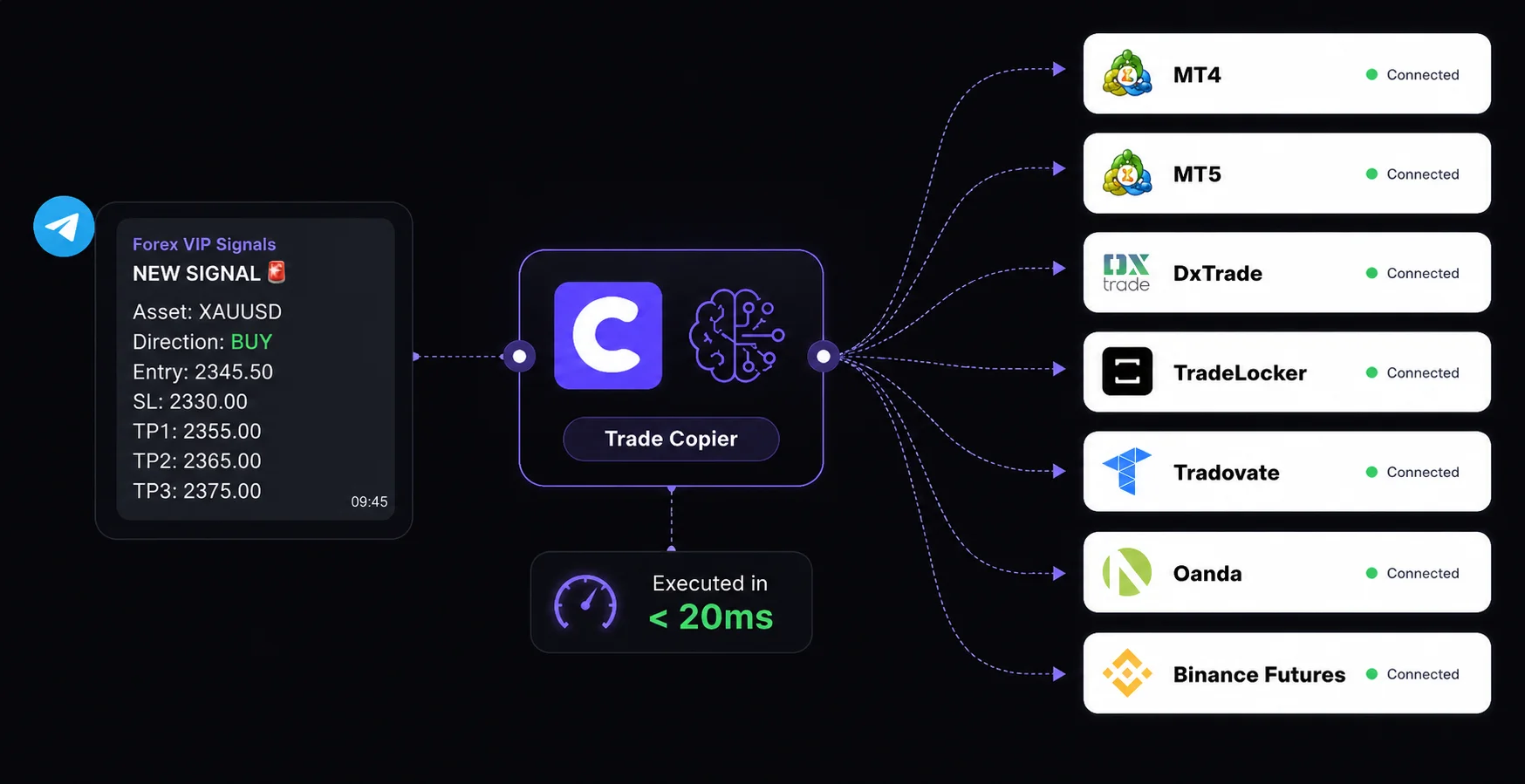
The most advanced cloud-based trade copier for MT4, MT5, and 6 more platforms. Our trained AI reads any Telegram message and executes trades in under 20ms. No VPS required.
30,000+ Active Traders
Prop Firm Friendly
<20ms Execution Speed
100% Cloud-Based (No VPS)
WHAT IS IT
What Is A Telegram Signal Copier?
A Telegram signal copier is an automated software tool that reads trading signals posted in a Telegram channel or group and instantly executes those trades on your connected brokerage account. Whether the signal is text or an image, the copier extracts the asset, entry price, stop loss, and take profit, then places the trade automatically.
HOW IT WORKS
How Copygram's AI Signal Parsing Works
Older trade copiers fail if a signal provider misses a comma or uses a slightly different format. Copygram utilizes advanced Natural Language Processing (NLP) trained on ChatGPT. Our AI signal copier instantly understands trading signals in any language or format. Whether the signal says "Buy Gold at 1950" or "XAUUSD Long @ 1950.00", our system parses the data flawlessly.


Features
Powerful Features of Our Telegram Trade Copier
Discover how our Telegram to Multiple trading account integration enhances your trading experience.
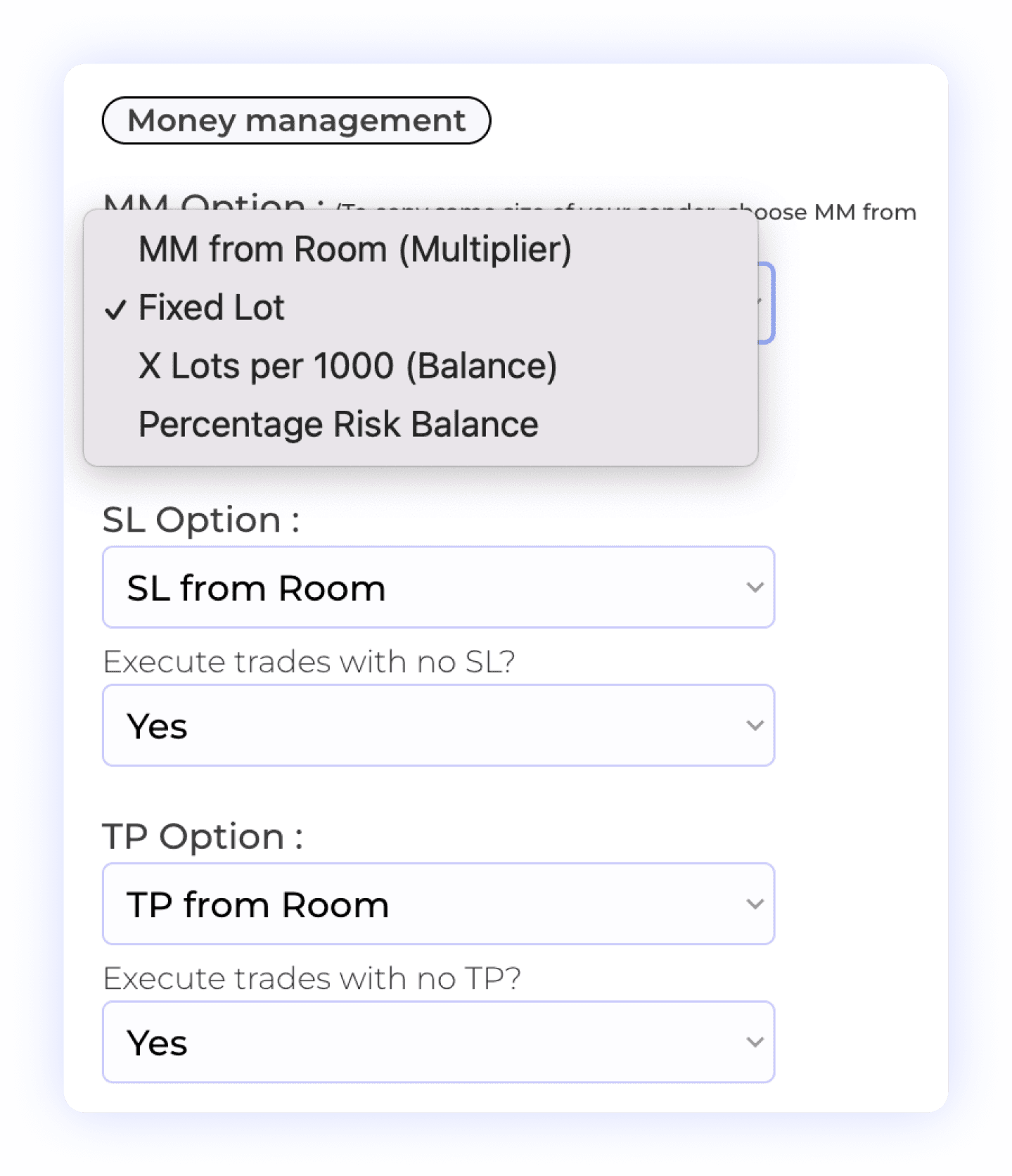
Comprehensive Money and Risk Management Control
With our integration, users have complete control over their money and risk management settings. You can choose from various options, including fixed lot size, multiplier, X lot per 1,000 units, or percentage risk balance to tailor your approach. Additionally, you have the ability to decide whether to copy Stop Loss (SL) settings and take profits, allowing for flexible trade management. This level of customization ensures that your trading strategy aligns perfectly with your risk tolerance and objectives.
Account Balance Risk
Take Profit Settings
Lot Multiplier
Percentage Risk
Stop Loss Management
Smart Prefixes & Suffixes Management
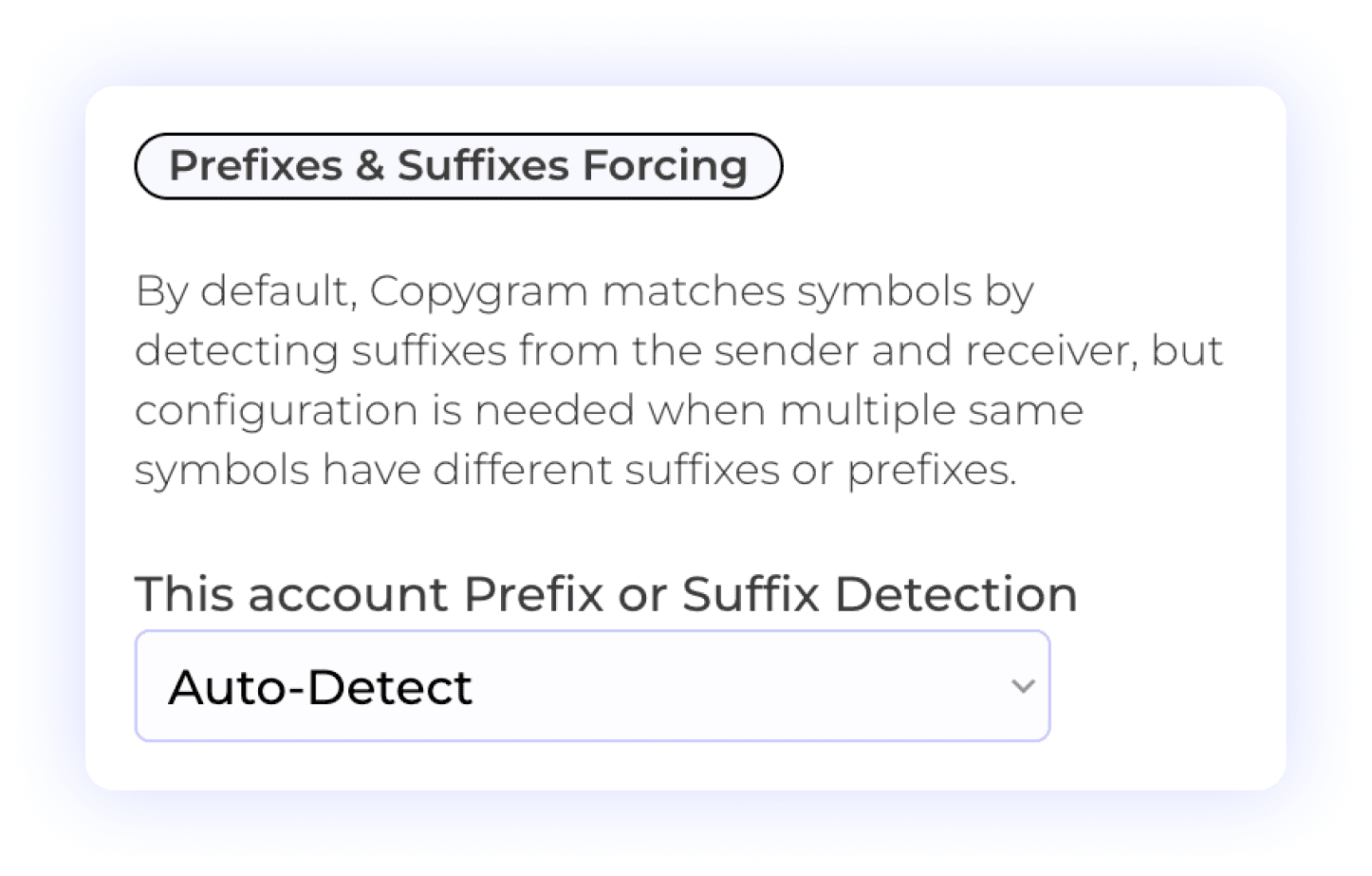
Copygram simplifies trading by automatically detecting prefixes and suffixes on receiver accounts. This feature ensures that trades are accurately matched, reducing the risk of errors. Additionally, users can manually input prefixes or suffixes when needed, which is particularly useful in cases where a broker lists the same symbol multiple times with different suffixes or prefixes. This flexibility guarantees seamless trade execution and enhances your overall trading experience.
Prefix Management
Suffix Management
Automated Detection
Precision Symbol Matching
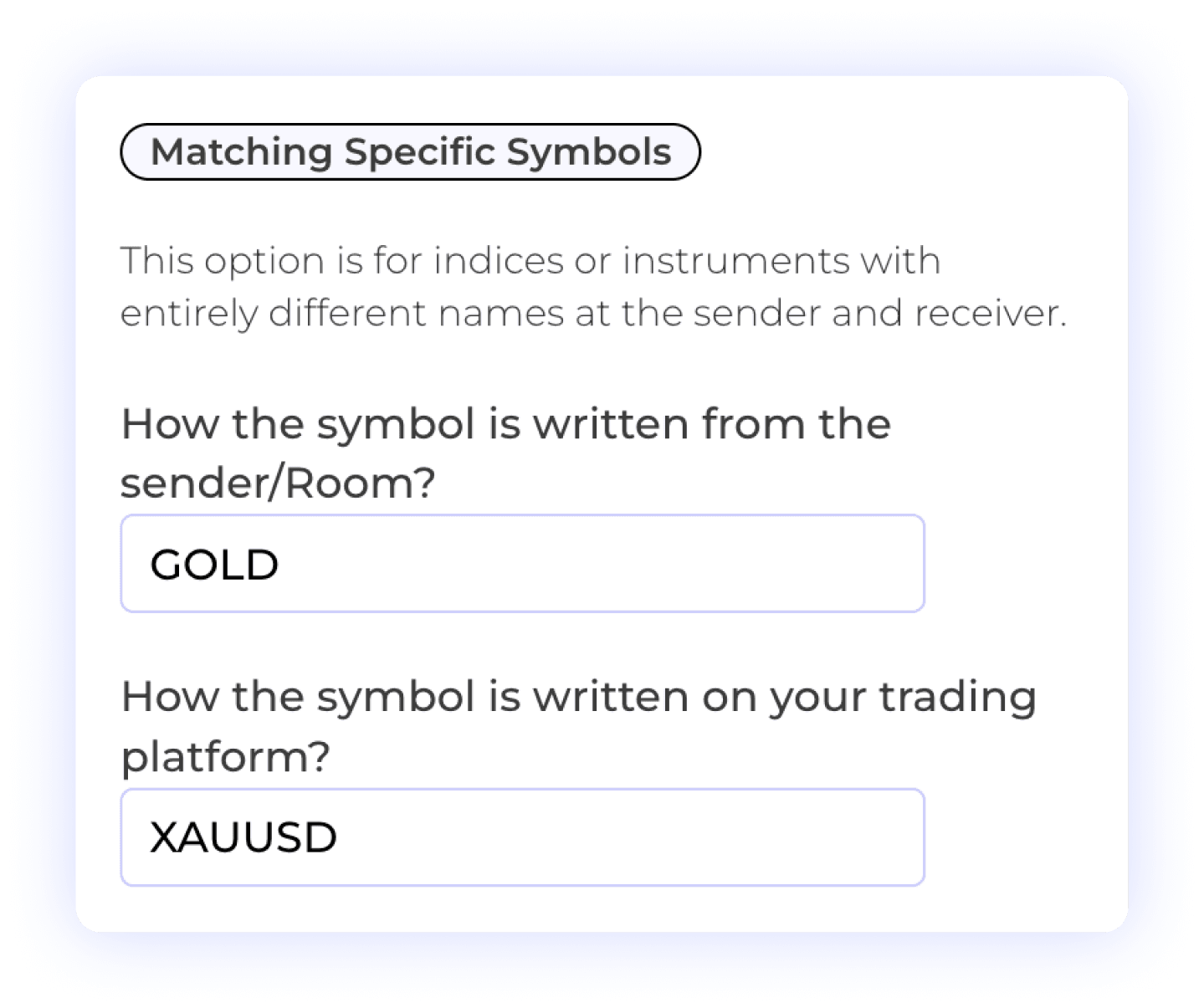
The Specific Symbols Matching feature allows users to customize the mapping of symbols between the sender and receiver accounts. This is particularly useful for scenarios where symbols may differ significantly in naming conventions or formats. With this feature, you can ensure that trades are accurately executed according to your specific requirements, enhancing your trading precision and effectiveness.
Custom Symbol Matching
Different Symbol Formats
User Control
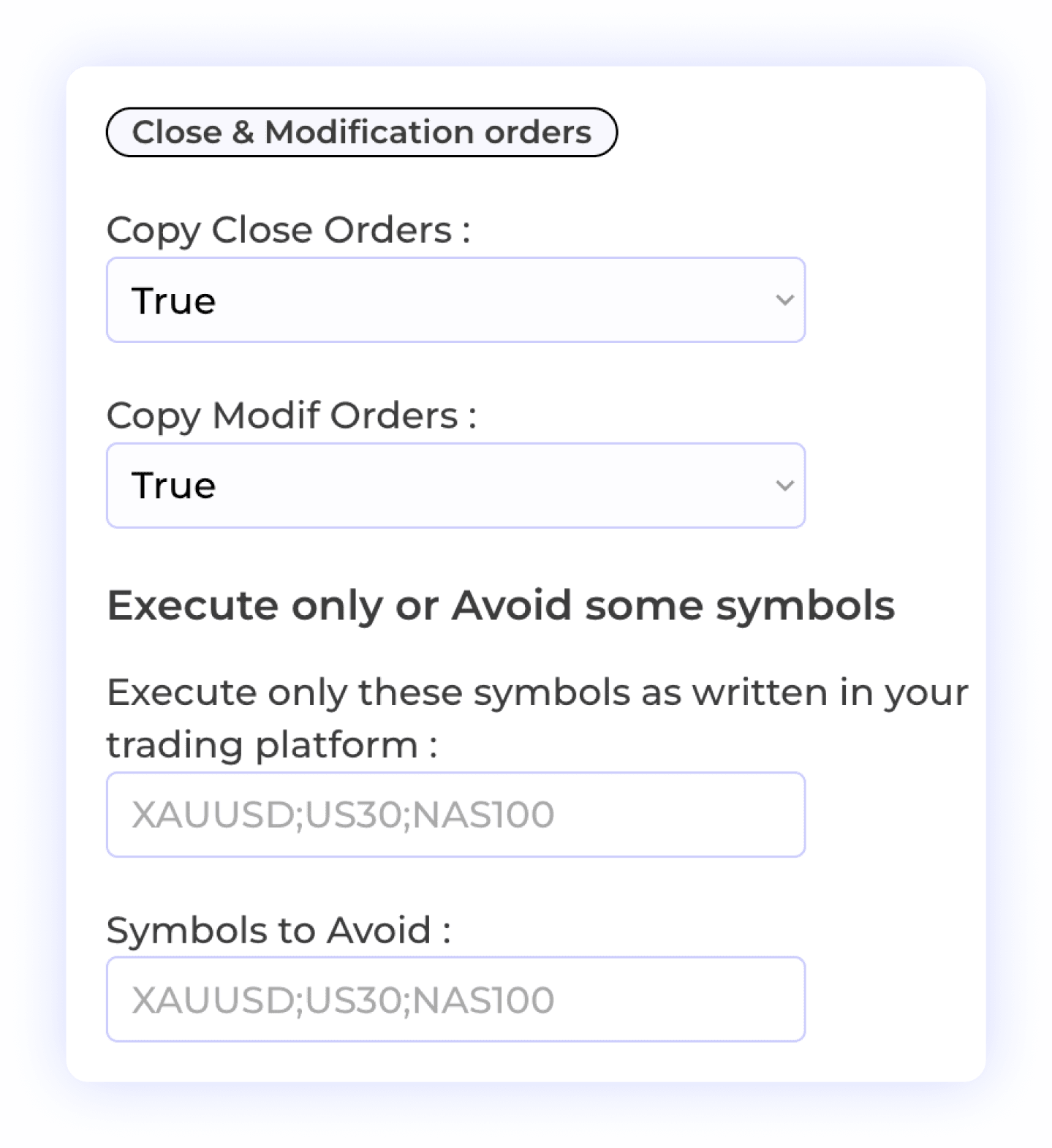
Customizable Order Management
This feature empowers users to control how orders are handled on the receiver account. You can allow modifications or closures of orders to be copied, ensuring flexibility in your trading strategy. Additionally, you have the option to selectively copy specific symbols or exclude certain symbols from being copied. This level of customization enhances your trading experience, allowing you to manage your positions with precision and confidence.
Order Modification
Selective Symbol Copying
Order Closure
Trade Flexibility
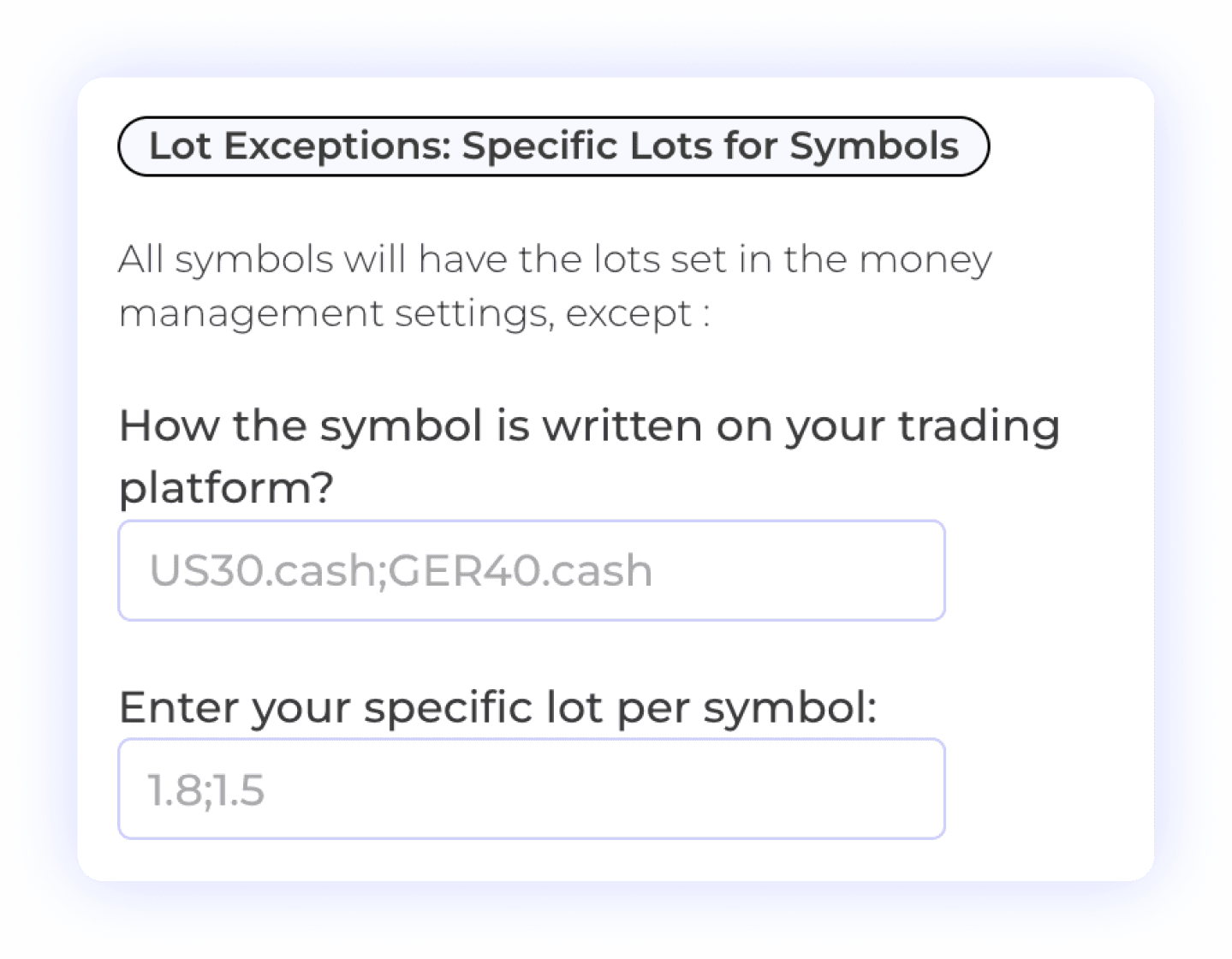
Symbol-Specific Lot Exceptions
The Lot Exception feature allows users to set specific lot sizes for individual symbols, providing greater control over their trading strategy. This flexibility enables you to define exceptions based on the characteristics of each symbol, ensuring that your position sizing aligns with your risk management preferences. Customize your trading approach with tailored lot sizes for enhanced precision and effectiveness.
Lot Size Management
Symbol-Specific Settings
Risk Management

Multi-Take Profit Management
The Multiple TPs of Telegram Signals feature allows users to specify distinct Take Profit (TP) levels and corresponding percentage lot sizes for each TP. This option is available for trades coming from Telegram channels when the chosen sender is Telegram. By customizing TP settings, you can optimize your profit-taking strategy and manage risk more effectively, tailoring your approach to fit market conditions.
Multiple Take Profits
Lot Size Management
Percent Allocation per TP
User-Controlled Trading
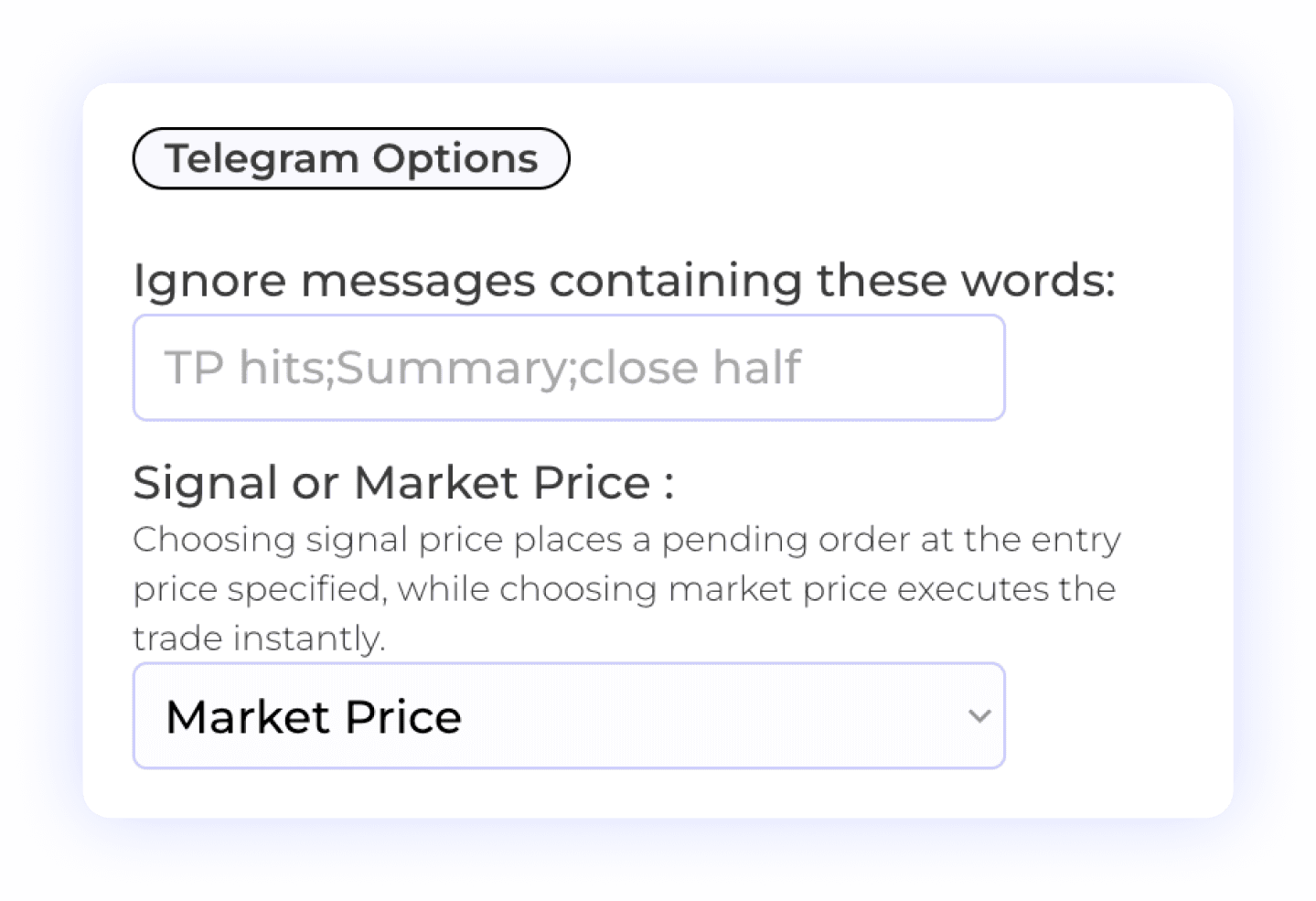
Smart Telegram Filter
The Telegram Option feature enables users to input specific keywords that, when detected in a Telegram message, will cause Copygram to ignore the signal. This allows for greater control over the signals you choose to act on. Additionally, users can select how to execute trades: either by using the signal price as an entry point (opening pending orders) or executing it at the current market price, regardless of the entry price provided by the channel. This flexibility enhances your trading strategy and adapts to your preferences.
Telegram Signal Filtering
Custom Keyword Settings
Signal Control

Flexible Time Settings
The Time Settings feature allows users to customize when orders or signals from the sender are executed on the receiver account. You can choose to have trades executed at all times or specify particular time windows for execution. This flexibility helps you align your trading activities with your strategy, ensuring that trades are executed only when it fits your schedule or market conditions.
Time Management
Trade Execution Timing
Automated Trading Control
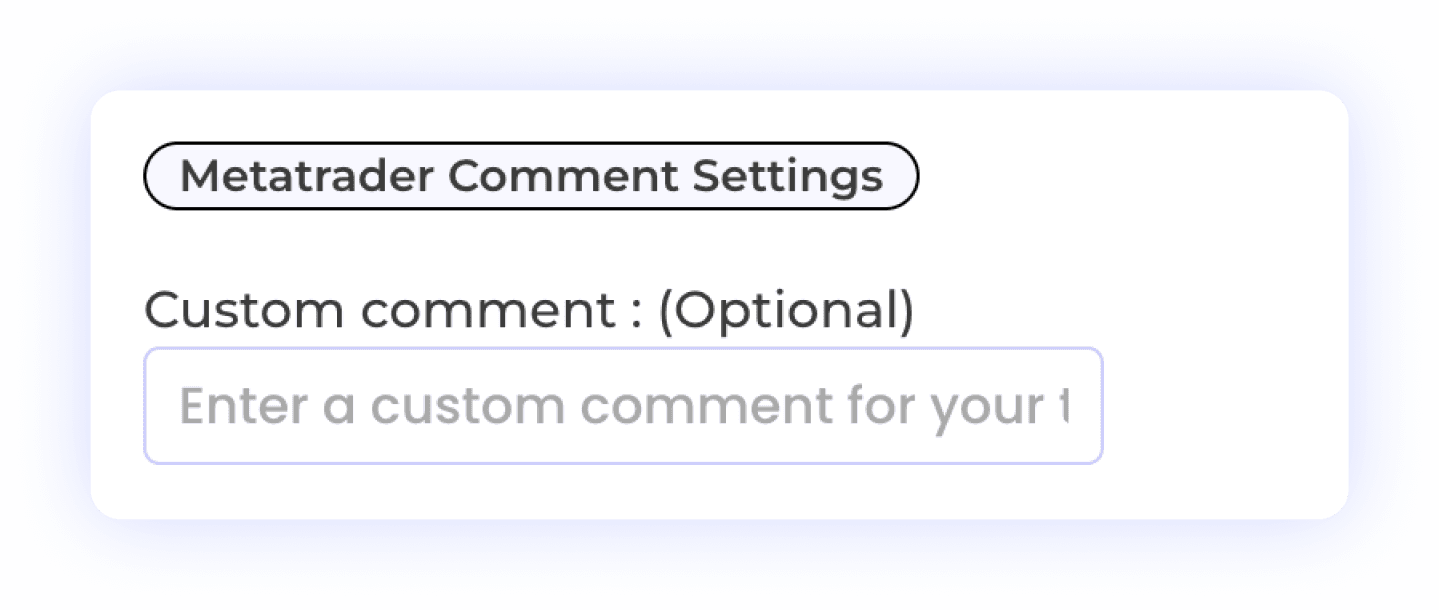
Customizable Trade Comment Settings
The MetaTrader Comment Settings feature is essential for users trading with prop firms. This functionality allows you to add custom comments to your trades, helping you manage how your trades are perceived and avoiding detection by prop firms. By personalizing trade comments, you can maintain compliance with firm policies while executing your strategies effectively.
Custom Trade Comments
Prop Firm Compliance
MetaTrader Integration
Plus 10+ additional settings including AI trade validation, keyword filters, trading schedules, signal vs market price execution, and more. See all features →
COMPARISON
Why Copygram is the Best Telegram Signal Copier
When choosing a trade copier, speed, reliability, and true cost matter. While older copiers require complex desktop installations or force you to pay for hidden third-party subscriptions, Copygram provides a complete, 100% cloud-based solution. Here is how we stack up against the competition.
WHY SWITCH
3 Reasons Traders Choose Copygram Over Other Signal Copiers
Speed and AI parsing are table stakes. Here's what actually separates Copygram from every other Telegram trade copier on the market.


FAQ
Frequently Asked Questions About Our Telegram Trade Copier
We’ve gathered all the important info right here. Explore our FAQs and find the answers you need.
How is a signal copier different from an EA?
Traditional Expert Advisors (EAs) require you to rent a Windows VPS, keep your computer running 24/7, and install complex files into your MetaTrader terminal. Copygram is a modern, 100% cloud-based signal copier. You connect your accounts via our web dashboard in minutes, and our servers handle the execution. No VPS, no EAs, and no PC required.
Can the AI signal copier read any format?
Yes. Unlike older trade copiers that fail if a signal provider misses a comma, Copygram uses advanced AI trained on ChatGPT. Our NLP engine can understand and extract the asset, direction, entry price, stop loss, and take profit from almost any natural language format, regardless of the language used in the Telegram channel.
Is Copygram safe to use with Prop Firms?
Absolutely. Copygram is highly optimized for prop firm traders. Because our trade copier connects via API rather than a local EA, it offers superior stealth. We support major prop firms including FTMO, FundedNext, and E8 Funding, and include features like custom trade comments to ensure full compliance with prop firm rules.
How fast are trades executed?
Speed is critical in trading. Because Copygram operates on high-performance cloud servers co-located near major financial hubs, our Telegram trade copier executes orders in under 20 milliseconds. This ensures you get the best possible entry price, minimizing slippage compared to manual trading or slower VPS-based copiers.
Do I need a MetaAPI subscription?
No. Unlike some competitors that require you to purchase a separate MetaAPI subscription for an additional $20/month, Copygram's infrastructure is entirely built-in. The price you see on our pricing page is the only price you pay.
Can I copy signals from multiple Telegram channels at once?
Yes. Copygram allows you to connect unlimited Telegram channels and route signals from all of them to your trading accounts. You can set individual risk rules, lot sizes, and symbol filters for each channel, giving you complete control over multiple signal providers simultaneously.
What happens if my broker uses different symbol names?
Copygram handles this automatically. If a Telegram signal says "GOLD" but your broker uses "XAUUSD", you can use our Symbol Mapping feature to translate it. The system also includes an Auto-Detect mode for broker-specific prefixes and suffixes (like EURUSD.raw or EURUSDm).
Do I need to leave my computer or phone on for trades to copy?
No. Because Copygram is a 100% cloud-based trade copier, your trades are executed on our secure servers. You do not need to keep your PC running, you do not need a VPS, and you do not need to have the MetaTrader or Telegram apps open on your phone.
Can I manage my own trades after the AI opens them?
Yes. You retain full control over your broker account. You can manually close trades, adjust stop losses, or modify take profits at any time directly in your trading platform. You can also configure Copygram to ignore "Close Order" signals from Telegram if you prefer manual exits.
SUPPORTED PLATFORMS
One Trade Copier for Every Major Trading Platform
Say goodbye to multiple tools and hello to efficiency, personalization, and smarter trade copier with our innovative platform.
Seamlessly copy trades from Telegram to your Dxtrade account. This automation ensures quick execution of your trading signals, allowing you to act instantly on your strategies!
Telegram to DxTrade


Effortlessly copy trades from any Telegram channel to your Binance Futures account. This automation ensures instant execution of crypto signals.
Telegram to Binance Futures

Automate trades from any telegram channel to TradeLocker. This integration ensures quick execution of your trading strategies, allowing you to manage your trades effortlessly!
Telegram to TradeLocker

Seamlessly transfer trades from any Telegram channel to your Oanda account. This automation allows you to receive and execute trading signals instantly, ensuring you never miss an opportunity.
Telegram to Oanda

Automate trades from your Telegram to MatchTrader. This integration enables swift execution of your strategies, ensuring seamless trade management across platforms!
Telegram to MatchTrader

Seamlessly transfer trades from any Telegram channel to your MT4 or MT5 account. This automation allows you to receive and execute trading signals instantly, ensuring you never miss an opportunity.
Telegram to Metatrader
Seamlessly transfer trades from any Telegram channel to your Tradovate account. This automation allows you to receive and execute trading signals instantly, ensuring you never miss an opportunity.
Telegram to Tradovate

More Automations